





Introduction on SQL Server
Before going to our main concept, we must first learn about what are functions and then study the details of scalar functions in SQL Server.
Function in SQL Server is a set of T-SQL statements that are used to perform a specific operation. SQL Server provides a variety of functions such as analytic functions, scalar functions, aggregate functions, etc.
Scalar functions are used in SQL Server when we want to operate on a single value. SQL Server scalar functions can take one or more parameters as input and always return a single value. The use of scalar functions helps to simplify data querying in SQL Server. There are various categories of scalar functions such as JSON functions, cursor functions, date and time functions, logical functions, etc. depending upon the operations performed by them.
In this article, we will study a category of scalar functions- Date and time functions. Date and time functions are used to perform operations on date and time input values and return a string, numeric, or date and time values.
Date and time functions are used to perform specific types of operations such as returning the current date and time, modifying date and time values, returning differences between two dates, validating date and time values, etc.
Let’s discuss the types of date and time functions available in SQL Server-
SQL Server Date and Time Functions
SQL Server provides several types of date and time functions such as SYSUTCDATETIME(), CURRENT_TIMESTAMP, GETDATE(), DAY(), MONTH(), YEAR(), DATEFROMPARTS (), DATETIME2FROMPARTS(), TIMEFROMPARTS (), DATEDIFF(), DATEADD(), ISDATE(), etc. This functions are used to perform operations on date and time input.
SYSUTCDATETIME(): This function is used to return the date and time values of the computer on which the instance of SQL Server is running in the UTC format. The function returns datetime2(7) value as the result.
Syntax: SYSUTCDATETIME()
Example: SELECT SYSUTCDATETIME() AS [SYSUTCDATETIME()]
.PNG)
CURRENT_TIMESTAMP: This function is used to return the datetime value containing the date and time values of the computer on which the instance of SQL Server is running. The function returns datetime value as the result, excluding the time zone offset.
Syntax: CURRENT_TIMESTAMP
Example: SELECT CURRENT_TIMESTAMP AS [CURRENT_TIMESTAMP]
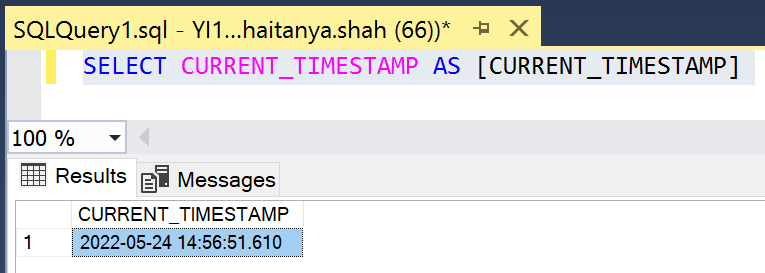
GETDATE(): This function is used to return the datetime value containing the date and time values of the computer on which the instance of SQL Server is running. The function returns datetime value as the result, excluding the time zone offset. The difference between CURRENT_TMESTAMP and GETDATE() is that CURRENT_TIMESTAMP is an ANSI SQL function whereas GETDATE is the T-SQL version of that same function.
In most scenarios, CURRENT_TIMESTAMP is recommended to use as it is portable to any ANSI-compliant database, whereas GETDATE() is not.
Syntax: GETDATE()
Example: SELECT GETDATE() AS [GETDATE()]
.PNG)
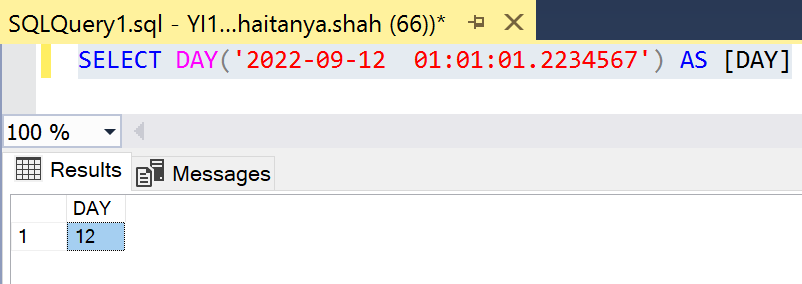
DAY(): This function is used to return an integer which represents the day (day of the month) part of the specified date. The DAY function takes date as an argument. The provided argument can be either of the types datetime, date, datetime2, time and small datetime. Users can pass a column expression, expression, string literal or user-defined variable as an argument to the DAY function.
Note: If the provided date argument only contains a time part, then the DAY function will return 1 – the base day as result.
Syntax: DAY(date)
Example 1: SELECT DAY('2022-09-02') AS [DAY]
Example 2: SELECT DAY('2022-09-12  01:01:01.2234567') AS [DAY]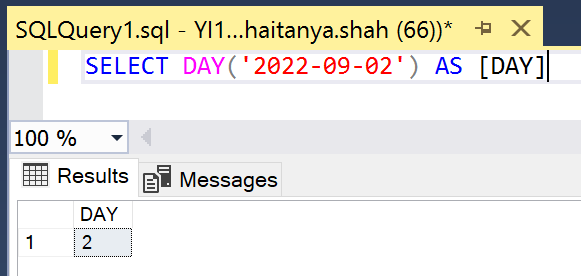
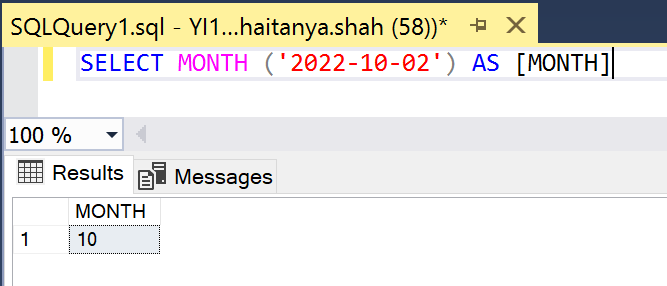
MONTH(): This function is used to return an integer which represents the month part of the specified date. The MONTH function takes date as an argument. The provided argument can be either of the types datetimeoffset, time, date, datetime, smalldatetime or datetime2. Users can pass a column expression, expression, string literal or user-defined variable as an argument to the MONTH function.
Note: If the provided date argument only contains a time part, then the MONTH function will return 1, the base month.
Syntax: MONTH(date)
Example 1: SELECT MONTH ('2022-10-02') AS [MONTH]
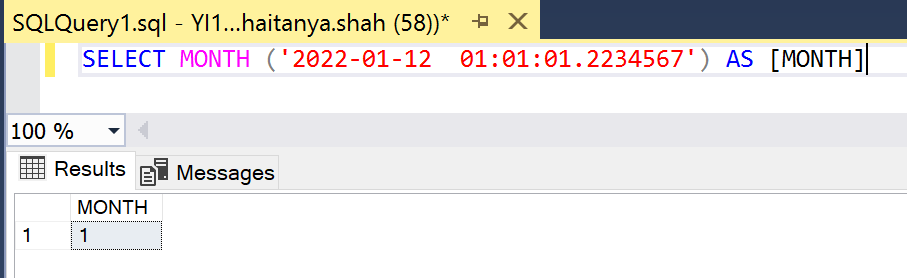
Example 2: SELECT MONTH ('2022-01-12  01:01:01.2234567') AS [MONTH]
YEAR(): This function is used to return an integer which represents the year part of the specified date. The YEAR function takes date as an argument. The provided argument can be either of the types datetimeoffset, time, date, datetime, smalldatetime or datetime2. Users can pass a column expression, expression, string literal or user-defined variable as an argument to the YEAR function.
Note: If the provided date argument only contains a time part, then the YEAR function will return 1900, the base year.
Syntax: YEAR(date)
Example 1: SELECT YEAR ('1998-10-02') AS [YEAR]
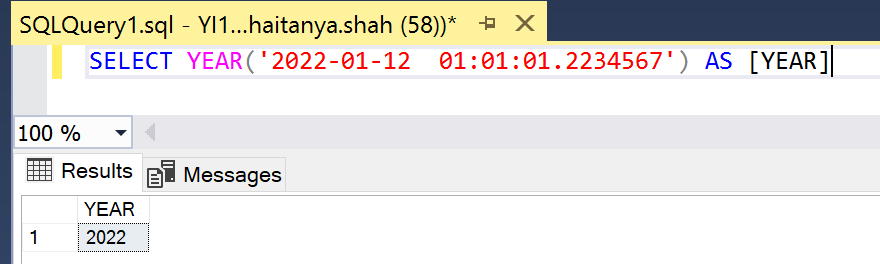
Example 2: SELECT YEAR('2022-01-12  01:01:01.2234567') AS [YEAR]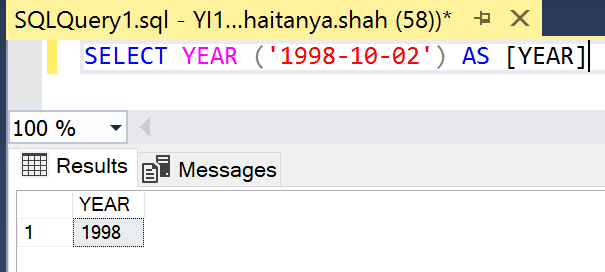
DATEFROMPARTS(): This function is used to return date for the specified year, month, and day. The DATEFROMPARTS function takes year (specifies the year), month (specifies the month) and day (specifies the day) as the required arguments. If an invalid year, month or day is provided, then DATEFROMPARTS function will raise an error. Null is returned from DATEFROMPARTS function if at least one required argument has a null value.
Syntax: DATEFROMPARTS(year, month, day)
Example: SELECT DATEFROMPARTS ( 2012, 09, 15 ) AS Result;
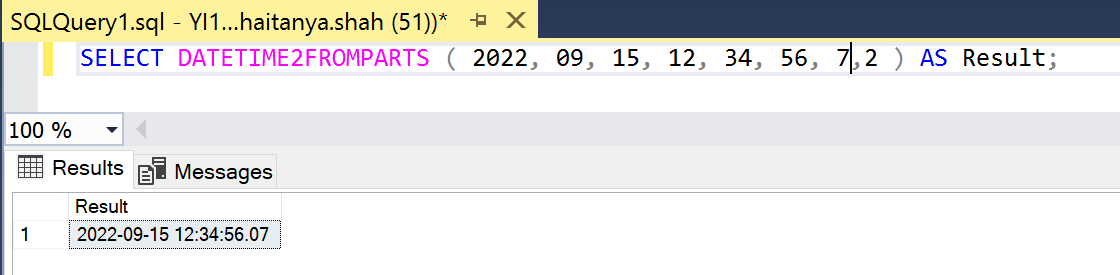
DATETIME2FROMPARTS(): This function is used to return date for the specified date and time, with the specified precision. The DATETIME2FROMPARTS function takes year (specifies the year), month (specifies the month), day (specifies the day), hour (specifies the hours), minute (specifies the minutes), seconds (specifies the seconds), fractions (specifies the fractional seconds value) and precision (specifies the precision of the datetime2 value returned by the DATETIME2FROMPARTS function) as the required arguments. If an invalid required argument is provided, then DATETIME2FROMPARTS function will raise an error. Null is returned from DATETIME2FROMPARTS function if at least one required argument has a null value. However, if the precision argument has a null value, an error is raised by the DATETIME2FROMPARTS function.
Syntax: DATETIME2FROMPARTS (year, month, day, hour, minute, seconds, fractions, precision)
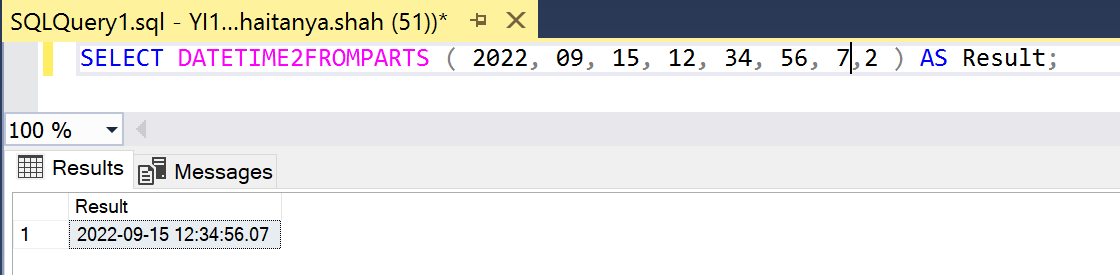
Example: SELECT DATETIME2FROMPARTS ( 2022, 09, 15, 12, 34, 56, 7,2 ) AS Result;
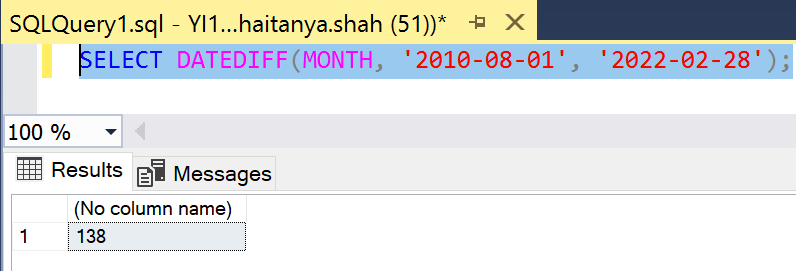
DATEDIFF(): This function is used to return the count of the specified datepart boundaries, crossed between two specified dates. The DATEDIFF function takes datepart (specifies the units in which DATEDIFF reports the difference between the startdate and enddate), startdate and enddate as arguments. The startdate and enddate can be either of the type datetime, date, datetime2, datetimeoffset, time and smalldatetime.
Syntax: DATEDIFF(datepart, startdate, endate)
Example: SELECT DATEDIFF(MONTH, '2010-08-01', '2022-02-28');
Conclusion
The date and time functions are one of the most important categories in scalar functions in SQL Server. To summarize, the following were the major takeaways about the various date and time functions:
- We learned how to find the current date and time of your system in UTC format.
- We have also seen how CURRENT_TMESTAMP is different from GETDATE().
- We also learned how to extract the day, month, and year from the given date.
- We understood how we can use DATEDIFF() to find the differences between the two dates.
- Apart from this, we also learned how to construct dates from the month, year, day, and time details.


