



Introduction
Python chatbots have exploded in popularity in the technology and commercial sectors during the last several years. These clever bots are skilled at mimicking natural human languages and talking with humans that businesses use across several industrial sectors. From e-commerce companies to healthcare facilities, it appears as though everyone is utilizing this handy tool to generate business benefits. We will learn about chatbots and how to create them in Python in this tutorial.
What is a Chatbot?
A chatbot is a kind of artificial intelligence-based software meant to communicate with humans in their natural languages. These chatbots often interact via audio or textual means and mimic human languages to connect with humans in a human-like manner. A chatbot is, without a doubt, one of the most important uses of natural language processing.
Chatbots are classified into two broad categories: rule-based and self-learning.
The rule-based technique teaches a chatbot to respond to inquiries using a set of pre-defined rules upon which it was first introduced. These established norms might be either primary or somewhat complicated. While rule-based chatbots can handle simple inquiries, they frequently fail to handle increasingly complex queries/requests.
As the name implies, self-learning bots are chatbots that can learn on their own. These systems learn from occurrences and behaviors by utilizing modern technologies such as Artificial Intelligence and Machine Learning. These chatbots, of course, are significantly more sophisticated than rule-based bots. Self-learning bots are further classified into two types: retrieval-based bots and generative bots.
1 Retrieval-based Chatbots
A retrieval-based chatbot is programmed to respond to specified input patterns. Once the question/pattern is entered, the chatbot responds appropriately using a heuristic technique. The retrieval-based methodology frequently creates goal-oriented chatbots with customizable elements such as the bot’s flow and tone to improve the client experience.
2 Generative Chatbots
In contrast to retrieval-based chatbots, generative chatbots do not rely on prepared replies; instead, they employ seq2seq neural networks. This is based on machine translation, which involves translating source code from one language to another. The seq2seq technique converts the input to an output.
In 1966, Joseph Weizenbaum built ELIZA, a chatbot capable of imitating the words of a psychiatrist in under 200 lines of code. However, owing to quick technological improvement, we’ve come a long way from written chatbots to today’s Python-based chatbots.
Chatbot in Today’s Generation
Today, we have intelligent AI-powered chatbots that employ natural language processing (NLP) to interpret and learn from human commands (text and speech). Chatbots have established themselves as a standard method of consumer connection for businesses and brands with an active online presence (website and social network platforms).
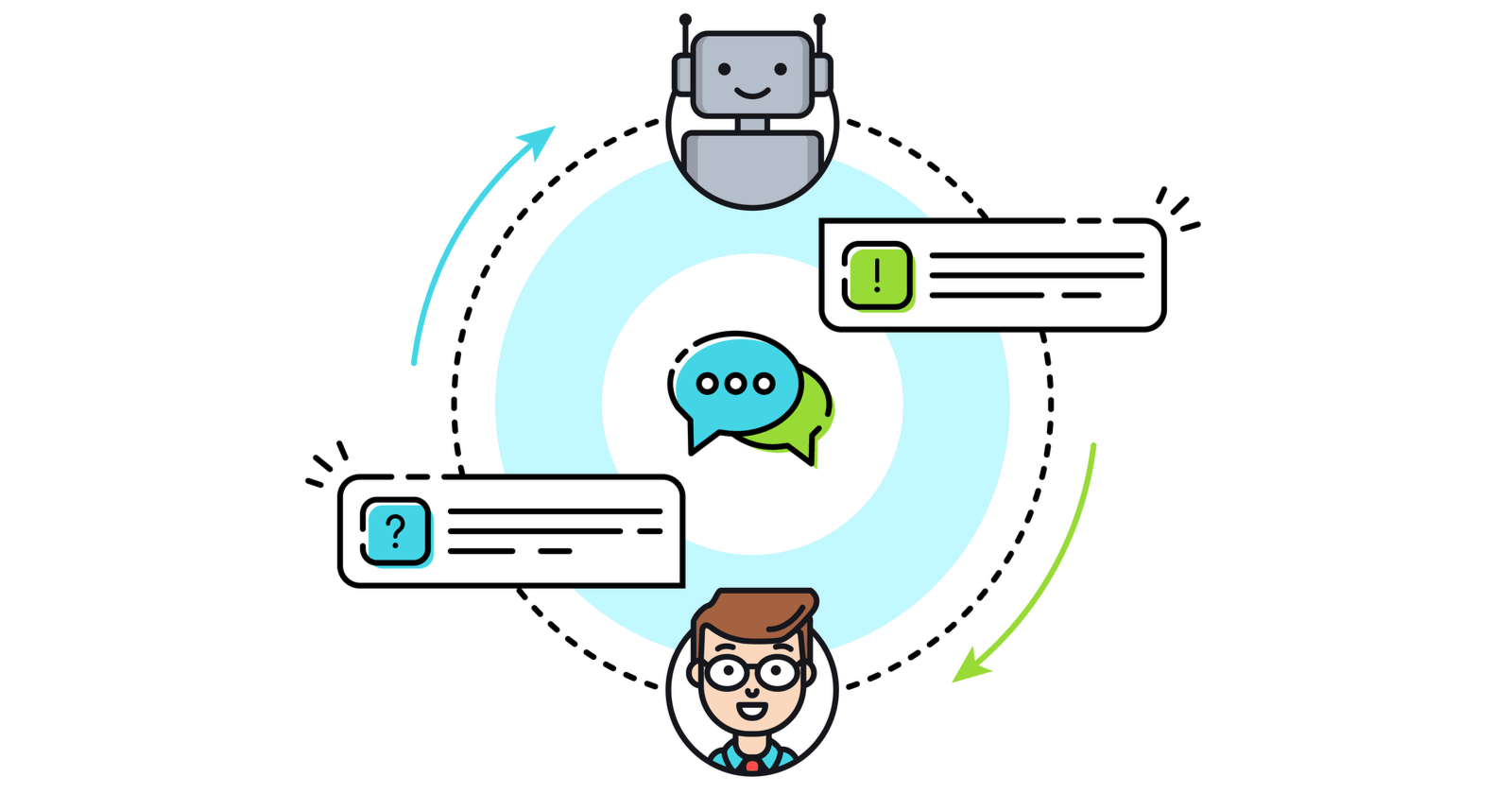
Python chatbots are a valuable tool since they enable instant messaging between the brand and the customer. Consider Siri from Apple, Alexa from Amazon, and Cortana from Microsoft. Aren’t these simply marvelous? Aren’t you immediately intrigued by the prospect of learning how to create a Python chatbot?
.png)
Essentially, the Python-based chatbot is intended to accept the information you offer and then evaluate it using sophisticated artificial intelligence algorithms to return you with either a written or voice answer. Because these bots may learn from their actions and experiences, they can respond to a wide variety of requests and orders.
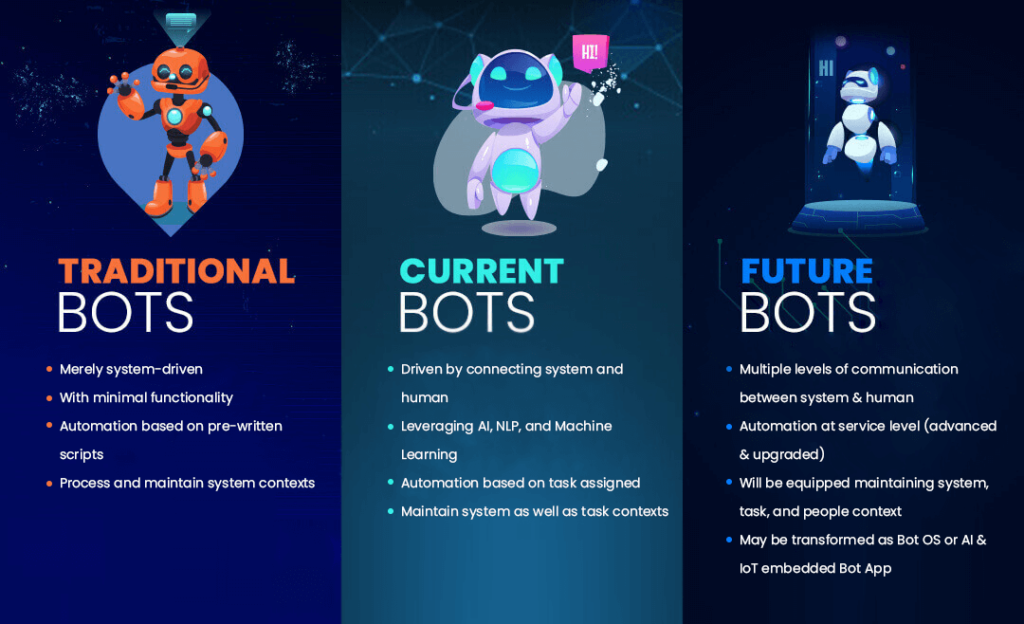
Although chatbots written in Python have already begun to dominate the IT industry, Gartner estimates that chatbots will manage roughly 85 percent of customer-brand interactions by 2020.
Given the growing popularity and use of chatbots in the business, you may boost your market value by learning how to create a chatbot in Python, one of the most widely used programming languages on the planet.
Today, we’ll demonstrate how to create a basic Python chatbot using the ChatterBot Python package. Therefore, let us begin!
ChatterBot Library
ChatterBot is a Python package for automating the reaction to user inputs. It generates a variety of various sorts of replies through the use of a mix of machine learning algorithms. This capability enables developers to create Python-based chatbots capable of conversing with humans and providing acceptable and relevant replies. Not only that, the machine learning algorithms assist the bot in improving its performance over time.
Another outstanding characteristic of ChatterBot is its multilingual capability. The library is structured so that it enables you to train your bot in a variety of programming languages.
How does ChatterBot function?
When a user submits a specific input into the chatbot (built on ChatterBot), the bot remembers both the input and the answer for future usage. This data (accumulated experiences) enables the chatbot to develop automated solutions for each new piece of information.
The computer selects the most appropriate answer from the closest statement that fits the input and then delivers it using previous comments and replies as the chatbot participates in more encounters, its response accuracy increases.
.png)
How to Create a Chatbot in Python?
We’ll take a step-by-step approach and deconstruct the Python chatbot development process.
To create a Python chatbot, you must import all required packages and initialize the variables used in your chatbot project. Additionally, keep in mind that you must undertake data preparation on your dataset while working with text data before developing a machine learning model.
This is where text data tokenization comes in handy — it allows for the fragmentation of an extensive text dataset into smaller, more readable bits (like words). After that, you can choose lemmatization, which converts a comment to its lemma form. Then it produces a pickle file in which the Python objects required to forecast the bot’s replies are stored.
Another critical step in developing a chatbot is the creation of training and testing datasets.
Now that we’ve covered the fundamentals of Python chatbot programming let’s go into the actual process!
Step 1 Prepare the Dependencies
Installing the ChatterBot library on your machine is the first step in developing a chatbot in Python using the library. It is recommended that you construct and run the installation in a new Python virtual environment. To do so, type and execute the following command in your Python terminal:
pip install chatterbot
pip install chatterbot_corpus
Step 2 Import Classes
Importing classes is the second stage in creating a Python chatbot. All you need to do is import two classes from chatterbot.trainers: ChatBot and ListTrainer. Use the following command to achieve this:
from chatterbot import ChatBot
from chatterbot.trainers import ListTrainer
Step 3 Create and Train the Chatbot
This is the third phase in the process of constructing a Python chatbot. Your chatbot will be a subclass of the class “ChatBot.” You may train the bot to increase its performance after starting a new ChatterBot instance. Training ensures that the bot has sufficient knowledge to respond to particular inputs. You must now run the following command:
my_bot = ChatBot(name='PyBot', read_only=True,
                                  logic_adapters=
['chatterbot.logic.MathematicalEvaluation',
                                  'chatterbot.logic.BestMatch'])
The argument (which corresponds to the parameter name) is used to specify the name of your Python chatbot. To prevent the bot from learning after training, you may include the “read_only=True” command. The command “logic_adapters” returns a list of adapters used during the chatbot’s training.
While “chatterbot.logic.MathematicalEvaluation” assists the bot in solving mathematical problems, “chatterbot.logic.BestMatch” helps it in selecting the best match from a list of previously offered replies.
Given that you’re required to supply a list of replies, you may accomplish this by giving lists of strings that will be used to train your Python chatbot and discover the best match for each question. Here are some examples of replies you can teach your Python-based chatbot to learn:
small_talk = ['hi there!',
              'hi!',
              'how do you do?',
              'how are you?',
              'i'm cool.',
              'fine, you?',
              'always cool.',
              'i'm ok',
              'glad to hear that.',
              'i'm fine',
              'glad to hear that.',
              'i feel awesome',
              'excellent, glad to hear that.',
              'not so good',
              'sorry to hear that.',
              'what's your name?',
              'i'm pybot. ask me a math question, please.']
math_talk_1 = ['pythagorean theorem',
               'a squared plus b squared equals c squared.']
math_talk_2 = ['law of cosines',
               'c**2 = a**2 + b**2 - 2 * a * b * cos(gamma)']
Additionally, you can construct and train the bot by creating an instance of “ListTrainer” and passing it a list of strings as follows:
list_trainer = ListTrainer(my_bot)
for item in (small_talk, math_talk_1, math_talk_2):
    list_trainer.train(item)
Now that your Python chatbot is configured, it is ready to communicate.
Conclusion
We’ve demonstrated here only one method for creating a chatbot in Python. Additionally, you may develop a Python chatbot using NLTK, another robust Python package. And while what you learned here is a very rudimentary Python chatbot with little cognitive capabilities, it should be sufficient to help you grasp the architecture of chatbots.


