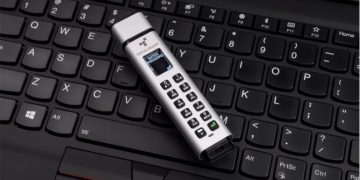




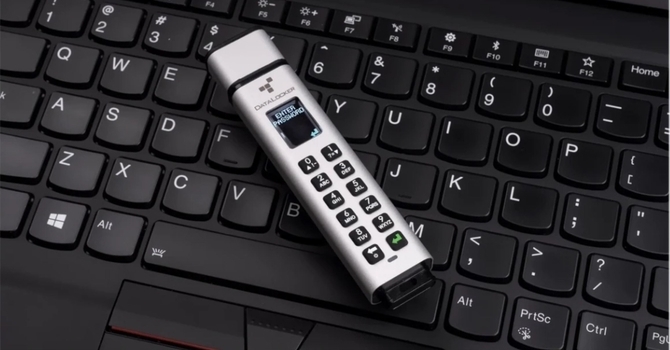
Datalocker is a US-based data security and storage encryption outfit. It’s likely the most well-known worldwide among the various companies partaking in this field and has patents and government contracts that make the competition blush more often than not. Many of its technologies are devised with ease of user interaction in mind; that is, without compromising on keeping your data private and secure. Along with the likes of ClevX, Datalocker has already made its mark on TechPowerUp with its affiliation and then acquisition of Ironkey Enterprise Management Service, and support for Kingston’s various managed encrypted portable storage solutions. While such managed products are more for a larger enterprise, I was pleasantly surprised to see many products intended for the average end user in the Datalocker portfolio, too. As such, when I was contacted by a representative of the company after our coverage of the iStorage DiskAshur M2 and DatAshur SD went live, I simply had to say yes!
The email that came in was quick to introduce Datalocker and some its newer consumer products, which immediately distinguished themselves from competing solutions by the inclusion of an OLED screen. We are going to take a closer look at the Datalocker Sentry K350, a small form factor portable USB drive that was introduced late last year with all the features of the likes of the Kingston DataTraveller,Hawk Security (SecuDrive) S-Drive, iStorage DiskAshur M2, and many others of this ilk in having an onboard keypad for password creation, and locking or unlocking the device. But the OLED screen helps Datalocker move away from the use of indicator LEDs, which admittedly have a steep learning curve.
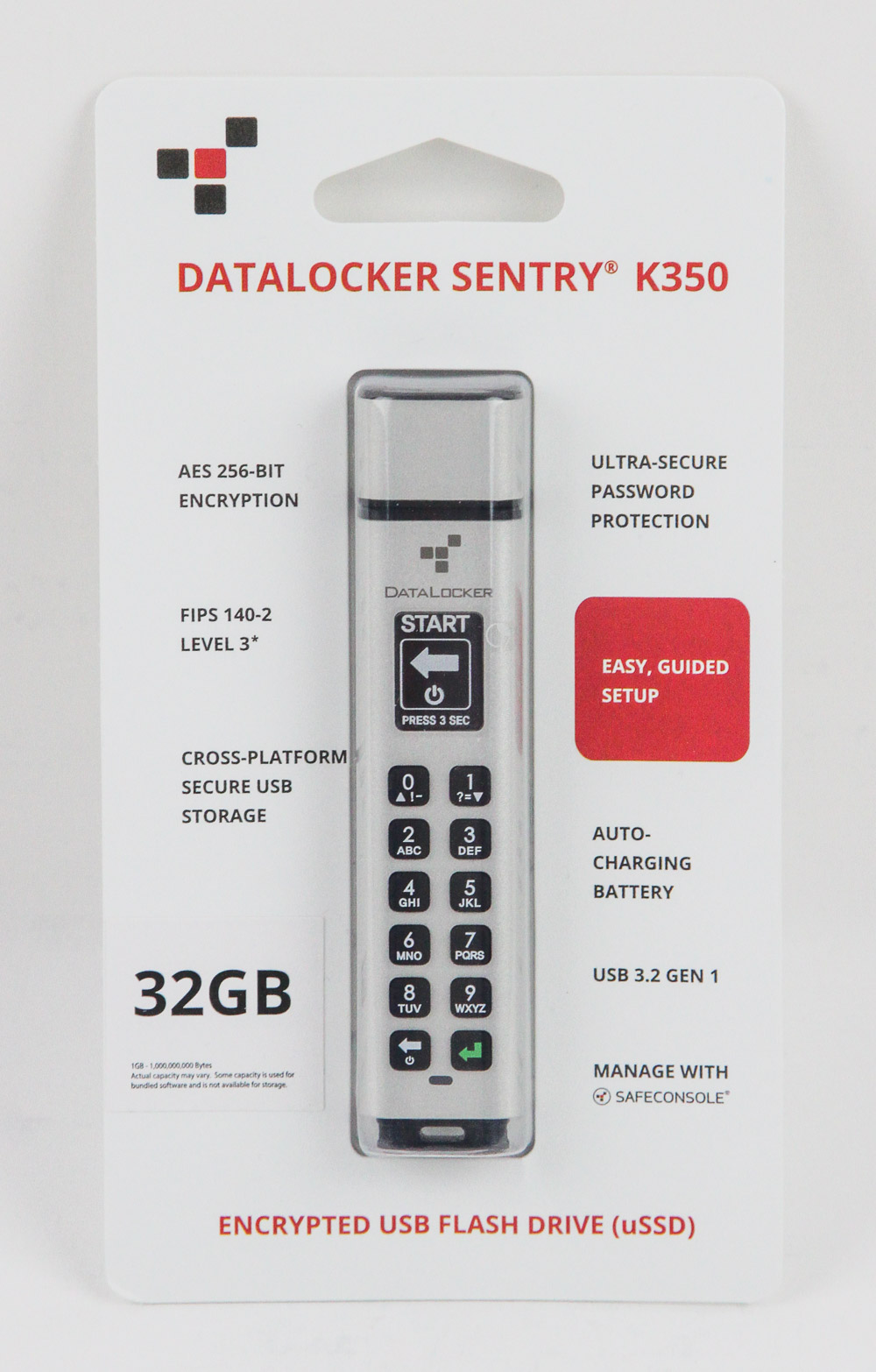
The Sentry K350 is clearly a USB drive at its heart, and packaging is simple with a sealed plastic clamshell surrounded by a cardboard layer that has the company logo and product name on the front, with specifications and features on both sides. The see-through plastic clamshell provides a teaser look at the product, getting to which takes physically tearing the packaging apart. I wish Datalocker went with a simpler, more eco-friendly solution to the unboxing experience, which would also be less frustrating to unpack. Regardless, there’s nothing else of interest here aside from the USB drive itself.
The Datalocker Sentry K350 comes in different storage size options, but they are all identical on the outside. The drive comes in at ~10 x 2 x 1.1 cm and weighs all of 35 g. So while it is more substantial than many low-profile USB drives, it’s still highly portable and weighs less than some of the bulkier IP67 drives with full metal cases I have examined before; it still offers the same, if not better, durability, too.
In addition to the lustrous aluminium frame in its tan finish, there is a hardened epoxy seal over the electronics inside and deliberate rubber padding on the various contact points that are more likely to hit the floor if dropped. The cover for the USB port is another such example, and this all comes together to provide not only IP67 dust and water resistance, but also adherence to the strict MIL-STD-810G military endurance rating that includes tests for vibration and impact resistance.
Think of the various stunts where someone drives a car over a product, and now imagine someone driving a tank over it instead without it adversely affecting the drive. On the front of the drive is the Datalocker logo itself, and a QR code on the back takes you to relevant information online, all accessible on the product page. On the back is also the serial number and confirmation that the drive was made in Taiwan, but designed in the USA.

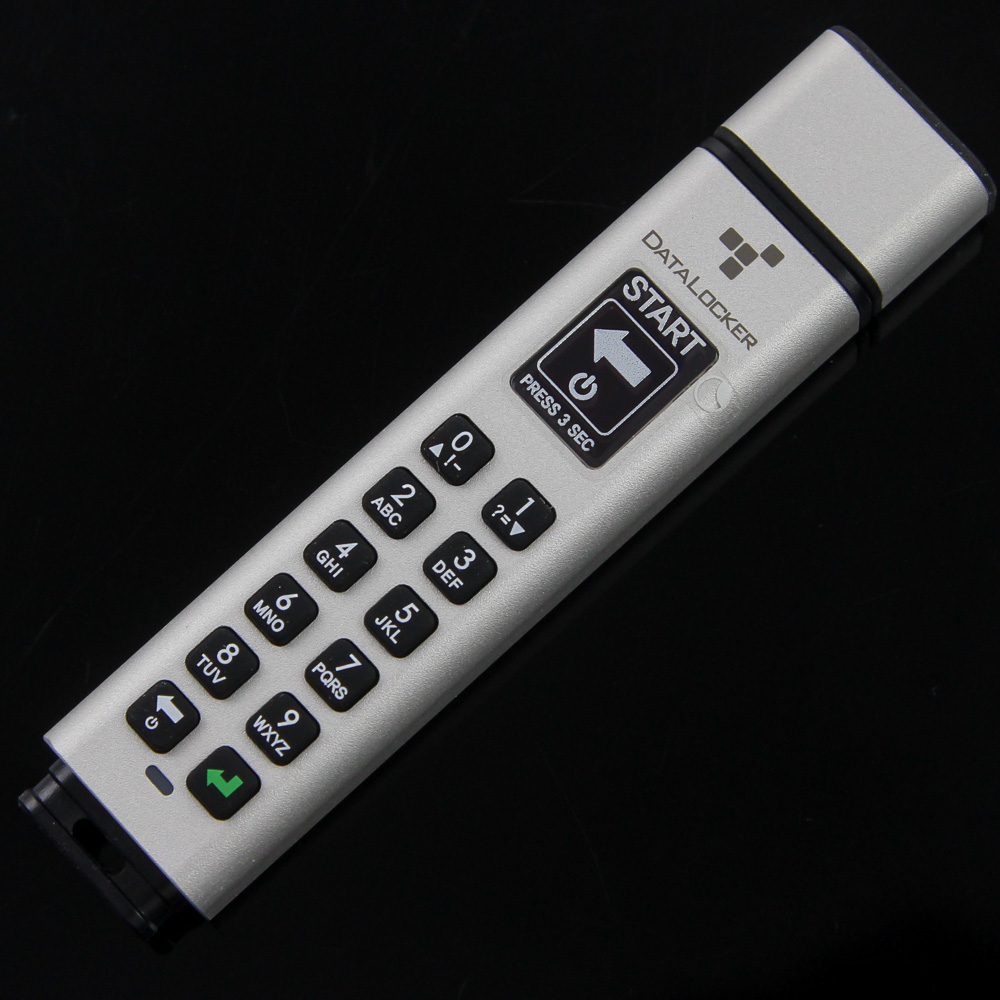
The other end of the drive has a small plastic extension that performs double duty by being an impact buffer and having a small hole to put the Sentry K350 on a keychain, for example. The relatively long drive does make it less convenient to pocket at an angle; however, I found pushing it into a pocket by itself quite easy. As we saw before, the drive has a full keypad on the front for alphanumeric codes to be generated and used as any other such encrypted portable storage solution that doesn’t require any special drivers.
This makes the Sentry K350 platform agnostic and less prone to attacks, while also getting you one step closer to a self-sufficient, air-gapped system. The rubberized keys are large and separate enough to be comfortably used with average-sized hands, and Datalocker tells me the legends are treated for added durability against finger oils and the general environment, so these should not wear out anytime soon. There is a single indicator LED at the bottom; however, it functions purely as a status indicator akin to any other typical USB drive. Where the keypad and onboard encryption come in play is on the OLED screen, which comes with a removable protective sticker on top.
Turning on the drive is as simple as pressing and holding the backspace button on the bottom left until the screen lights up, and notice it going through a short boot sequence before the brand-new drive prompts you to enter a new password. The screen is plenty bright for indoor use, although you may need to cover it with your hands if out in direct sunlight. Likewise, the resolution is adequate for the size, as is the 105 Hz refresh rate to make it one of the better added screens on any product I’ve seen so far, let alone a USB drive.
There is a tiny Li-ion polymer battery inside for the workings of the drive, and a battery level indicator at start-up coupled with a low battery warning alerts you of when it needs to be plugged in to charge the internal battery. In practice, using the drive is no different from any other provided enough charging time not to have to worry about separately charging it, which would have been a pain. The alphanumeric keypad coupled with the screen makes it easy to generate a complex word or phrase as your password.
I am sure you noticed the contextual prompts on the screen previously, including backspace and enter. I also urge you to go through this detailed 30-page user guide, or at the very least this 1-page quick start guide. Other than that, the OLED screen does a good job of walking you through the set-up process, including setting your password and PC connection, which then automatically locks the drive when disconnected. Seen above are two GIFs, with the first showing the screen contents from right to left to cover longer messages. Keep in mind that my dSLR isn’t the best for video capture even with manual settings on this 105 Hz screen, so any flickering is a video artifact that is not present in person.
The scrolling is otherwise smooth, but some pixels are still lit in the animation transition when they shouldn’t be. This makes for a sluggish look in those instances, which could have been resolved had Datalocker gone more aggressive here. The second GIF takes you through some of the various functions, which is really were the screen shines. Gone is the need to memorize patterns of three LED colors that came come off as a bad game of Simon, and it makes for far more onboard configurability than on other such drives.
For example, there is not only the option to have a kill-switch for the data if a certain number of incorrect unlock attempts are made as Datalocker also happens to be the only company to include a physical kill-switch, which deactivates the power source permanently to render the actual driver completely useless. This over-the-top menu entry is in addition to other expected ones, including the ability to choose whether you want numbers or alphabets displayed first when using the keypad, running the drive in read-only or boot-only mode, and adding designated users with their own associated passwords.


