




Data scientists are often expected to collect large amounts of data to derive business value in organizations. Unfortunately, this is a skill that is often overlooked, as most data science courses don’t teach you to collect external data. Instead, there is a lot of emphasis placed on model building and training.
In this article, I will show you how to create a web scraper from scratch.
If you aren’t already familiar with the term, a web scraper is an automated tool that can extract large amounts of data from sites. You can collect up to hundreds of thousands of data points in just a few minutes with the help of web scraping.
We will scrape a site called “Quotes to Scrape” in this tutorial. This is a site that was specifically built to practice web scraping.
By the end of this article, you will be familiar with:
- Extracting raw HTML from a website
- Using the BeautifulSoup library to parse this HTML and extract useful pieces of information from the site
- Collecting data from multiple webpages at once
- Storing this data into a Pandas dataframe
Before we start building the scraper, make sure you have the following libraries installed — Pandas, BeautifulSoup, requests.
Once that’s done, let’s take a look at the site we want to scrape, and decide on the data points to extract from it.
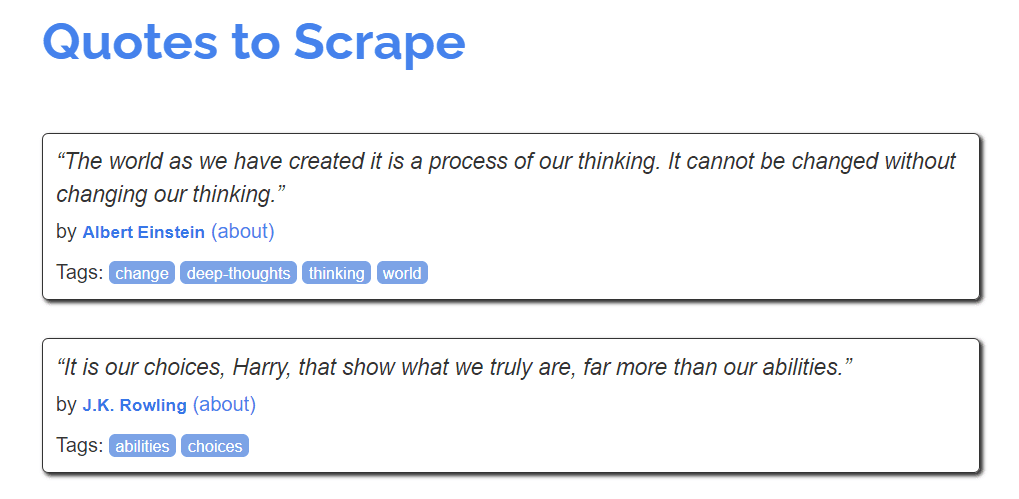
This site consists of a list of quotes by prominent figures. There are three main bits of information displayed on the page — the quote, it’s author, and a few tags associated with it.
The site has ten pages, and we will scrape all the information available on it.
Let’s start by importing the following libraries:
import pandas as pd
from bs4 import BeautifulSoup
import requests
Then, using the requests library, we will get the page we want to scrape and extract it’s HTML:
f = requests.get('http://quotes.toscrape.com/')
Next, we will pass the site’s HTML text to BeautifulSoup, which will parse this raw data so it can be easily scraped:
soup = BeautifulSoup(f.text)
All of the site’s data is now stored in the soup object. We can easily run BeautifulSoup’s in-built functions on this object in order to extract the data we want.
For example, if we wanted to extract all of the text available on the web page, we can easily do it with the following lines of code:
print(soup.get_text())
You should see all of the site’s text appear on your screen.
Now, let’s start scraping by scraping the quotes listed on the site. Right click on any of the quotes, and select “Inspect Element.” The Chrome Developer Tools will appear on your screen:
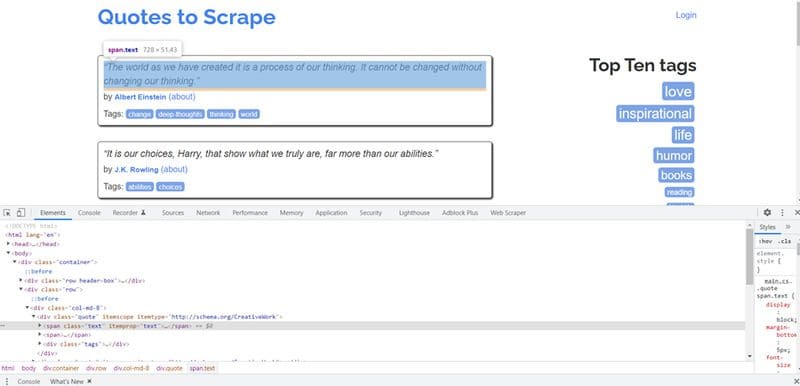
BeautifulSoup has methods like find() and findAll() that you can use to extract specific HTML tags from the web page.
In this case, notice that the <span> class called text is highlighted. This is because you right-clicked on one of the quotes on the page, and all the quotes belong to this text class.
We need to extract all the data in this class:
for i in soup.findAll("div",{"class":"quote"}):
    print((i.find("span",{"class":"text"})).text)
Once you run the code above, the following output will be produced:
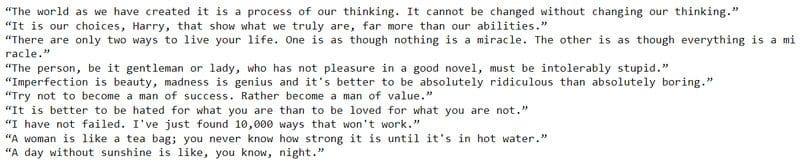
There are ten quotes on the web page, and our scraper has successfully collected all of them. Great!
Now, we will scrape author names using the same approach.
If you right click on any of the author names on the web page and click Inspect, you will see that they are contained within the <small> tag, and the class name is author.
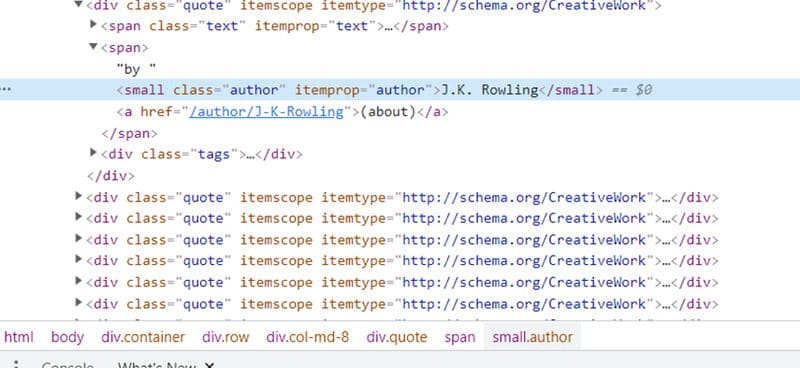
We will use the find() and findAll() functions to extract all the author names within this tag.
for i in soup.findAll("div",{"class":"quote"}):
    print((i.find("small",{"class":"author"})).text)
The following output will be rendered:
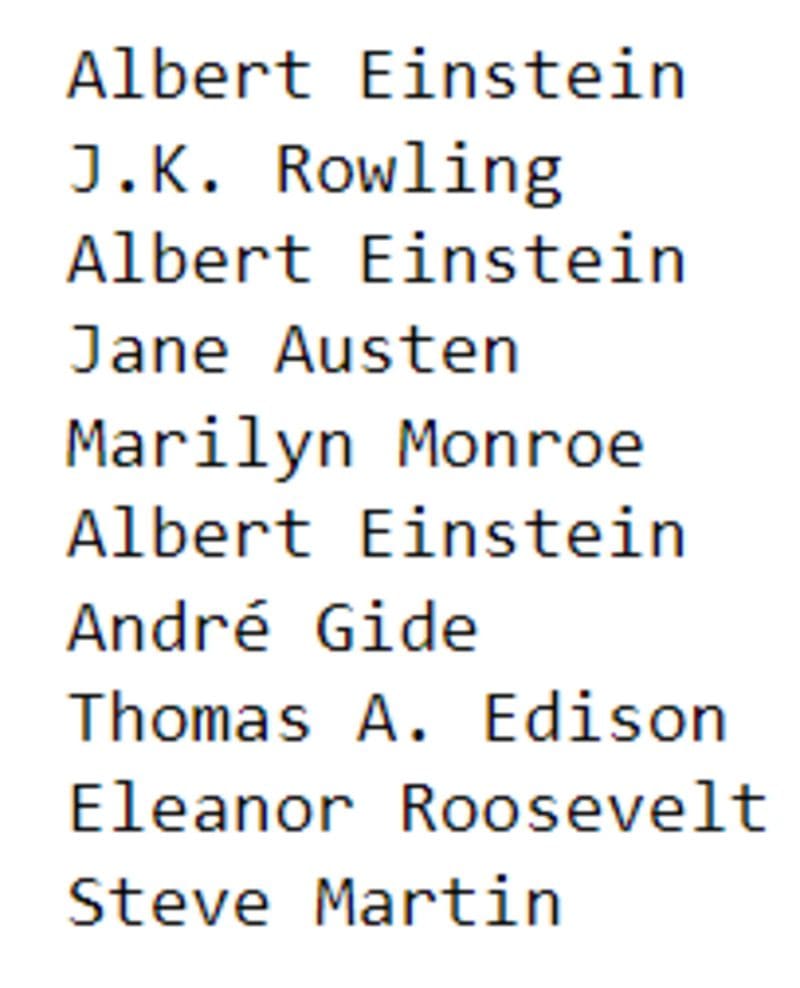
Again, we managed to scrape all authors listed on the page. We’re almost done!
Finally, we will scrape the tags listed on the site.
If you right click on any of the tags and click on Inspect Element, you will see that they are all contained within the <meta> tag and separated by a comma:
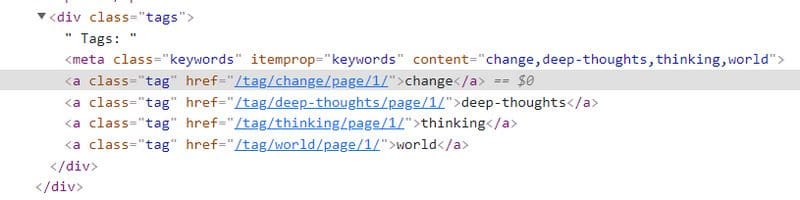
Also, notice that the <meta> tag is wrapped by a parent <div> tag, with the class name tags.
To extract all the tags on the page, run the following lines of code:
for i in soup.findAll("div",{"class":"tags"}):
    print((i.find("meta"))['content'])
The output on your screen will look like this:
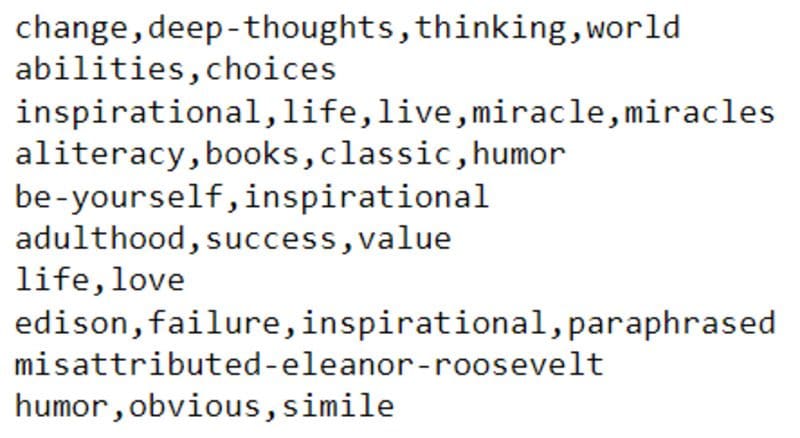
We have now successfully scraped all the data on a single page of the site.
But we’re not done! Remember, the site has ten pages, and we need to collect the same data from all of them.
Before we do this, let’s create three empty arrays so we can store the data collected.
quotes = []
authors = []
tags = []
Now, we will create a loop that ranges from 1–10, and iterate through every page on the site. We will run the exact same lines of code we created earlier. The only difference is that instead of printing the output, we will now append it to an array.
for pages in range(1,10):    f = requests.get('http://quotes.toscrape.com/page/'+str(pages))
    soup = BeautifulSoup(f.text)    for i in soup.findAll("div",{"class":"quote"}):
        quotes.append((i.find("span",{"class":"text"})).text)

    for j in soup.findAll("div",{"class":"quote"}):
        authors.append((j.find("small",{"class":"author"})).text)    for k in soup.findAll("div",{"class":"tags"}):
        tags.append((k.find("meta"))['content'])
Done!
Finally, let’s consolidate all the data collected into a Pandas dataframe:
finaldf = pd.DataFrame(
    {'Quotes':quotes,
     'Authors':authors,
     'Tags':tags
    })
Taking a look at the head of the final data frame, we can see that all the site’s scraped data has been arranged into three columns:
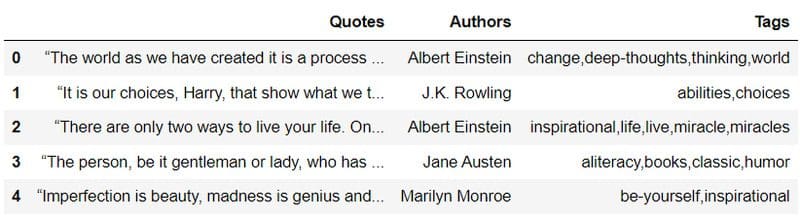
That’s all for this tutorial!
We have successfully scraped a website using Python libraries, and stored the extracted data into a dataframe.
This data can be used for further analysis — you can build a clustering model to group similar quotes together, or train a model that can automatically generate tags based on an input quote.
If you’d like to practice the skills you learnt above, here is another relatively easy site to scrape.
There is more to web scraping than the techniques outlined in this article. Real-world sites often have bot protection mechanisms in place that make it difficult to collect data from hundreds of pages at once. Using libraries like requests and BeautifulSoup will suffice when you want to pull data from static HTML webpages like the one above.
If you’re pulling data from a site that requires authentication, has verification mechanisms like captcha in place, or has JavaScript running in the browser while the page loads, you will have to use a browser automation tool like Selenium to aid with the scraping.


