





Tensorflow is a popular open-source machine learning framework developed by Google. It is primarily used by machine learning practitioners in research and industry for the training and inference of deep neural networks.
Instead of building machine learning and deep learning models from scratch, we can use libraries like TensorFlow to train models easier and faster. This is because TensorFlow provides all the basic necessary functions we will use.
In this blog, let’s discuss the basics of TensorFlow and get an overview of what happens inside the library while training a deep learning model. So let’s get started with the most basic component of TensorFlow i.e. tensors.
Tensors for Deep Learning
Tensorflow has applications in vast areas ranging from vision, videos to tabular data. But if we can get to the basics of any operation, we can see that the data is being converted to numbers (i.e. tensors) then machine learning algorithms operate with numbers to find patterns. So now let’s see what are tensors and how they are created and manipulated.
Tensors are like NumPy arrays. If you have not used NumPy before, we can think of tensors as a multi-dimensional numerical representation of data. This data can be
- numbers (tensor as a number)
- Images (tensors in matrix form)
- Text (tensors in array form)
- or any form of data (any n-dimensional representation of tensors)
The main difference between Numpy arrays and tensors is that tensors can be used on Graphical Processing Units (GPUs) and Tensor processing units (TPUs). The benefit of using GPUs and TPUs is faster computation and less time is required for deep learning models to find patterns among input data.
Since we got a basic understanding of tensors, let’s see how we can create them using TensorFlow.
Creating Tensors
First, let’s import TensorFlow,
import tensorflow as tf
print(tf.__version__)
Now let’s create some tensors using tf.constant(),
Okay, in the above code, we have created four tensors of different dimensions. Using tf.constant() we can create immutable tensors of any dimension. Let’s print them and inspect more details about them.
print("Scalar: ", scalar)
print("Vector: ", vector)
print("Matrix: ", matrix)
print("Tensor: ", tensor)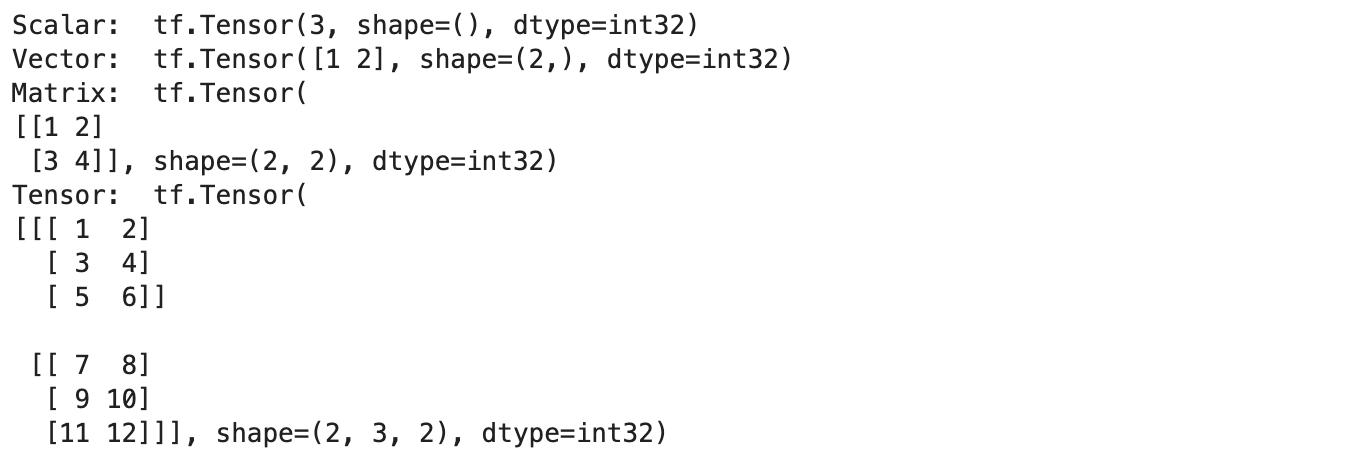
Output
In the below image, we can clearly see the difference between a scalar, vector, matrix and a tensor.
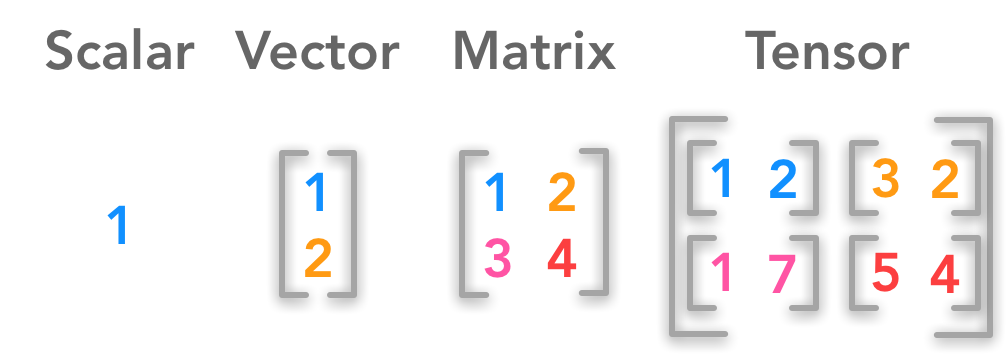
We can see that each tensor has a shape and dtype attributes. dtype represents the data type of the tensor. By default, all the tensors have been assigned the dtype of int32. But we can manually assign the data type while creating the tensors.
# manually assign datatype
float_tensor = tf.constant([[1, 2],
                            [3, 4]], dtype=tf.float32)
print(float_tensor)
The commonly used data types are tf.float32, tf.float13, tf.int32 and tf.int16. We can also check other attributes of the tensors such as rank, shape, size and dimension.
# Check basic attributes of scalar
print("The dimension of scalar is : ", scalar.ndim)
print("The rank of scalar is : ", tf.rank(scalar))
print("The shape of scalar is : ", scalar.shape)
print("The shape of the scalar is :", tf.size(scalar))
print()
# Check basic attributes of vector
print("The dimension of vector is : ", vector.ndim)
print("The rank of vector is : ", tf.rank(vector))
print("The shape of vector is : ", vector.shape)
print("The shape of the vector is :", tf.size(vector))
print()
# Check basic attributes of Matrix
print("The dimension of Matrix is : ", matrix.ndim)
print("The rank of Matrix is : ", tf.rank(matrix))
print("The shape of Matrix is : ", matrix.shape)
print("The shape of the Matrix is :", tf.size(matrix))
print()
# Check basic attributes of scalar
print("The dimension of Tensor is : ", tensor.ndim)
print("The rank of Tensor is : ", tf.rank(tensor))
print("The shape of Tensor is : ", tensor.shape)
print("The shape of the Tensor is :", tf.size(tensor))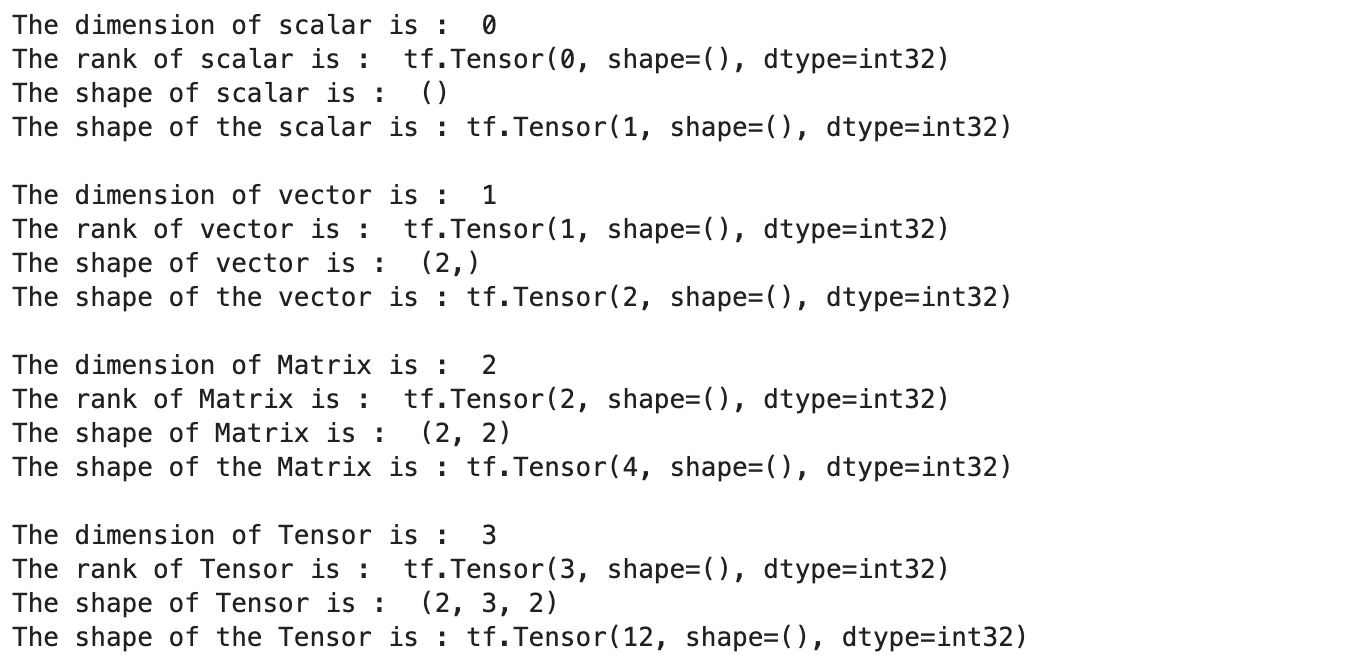
Output
Now let’s see how to create variables using tf.variable(),
# Create same tensor with constant and variable
constant_tensor = tf.constant([[1, 2],
                       [3, 4]])
variable_tensor = tf.Variable([[1, 2],
                       [3, 4]])
constant_tensor, variable_tensor
Output
The difference between the constant and variable tensor is that the latter tensors are mutable i.e. the values can be changed and tensors created using tf.constant() are immutable. We can update the value of variable tensors using the assign() method
# Update using indexing
variable_tensor[0].assign([7, 1])
print(variable_tensor)
# Update entire tensor
variable_tensor.assign([[10, 11],
                        [12, 13]])
print(variable_tensor)
Output
The choice of whether to tf.constant() or tf.variable() to create tensors is dependent on the application. Since TensorFlow has input-output operations to read the data directly from files, it will choose the appropriate one directly for us. All the tensor operations will be done by TensorFlow under the hood when we use higher-level operations.
Now let’s see how to use TensorFlow to generate random tensors,
random1 = tf.random.Generator.from_seed(42)
random1 = random1.normal(shape=(3, 2))
random2 = tf.random.Generator.from_seed(42)
random2 = random2.normal(shape=(3, 2))
print(random1)
print(random2)
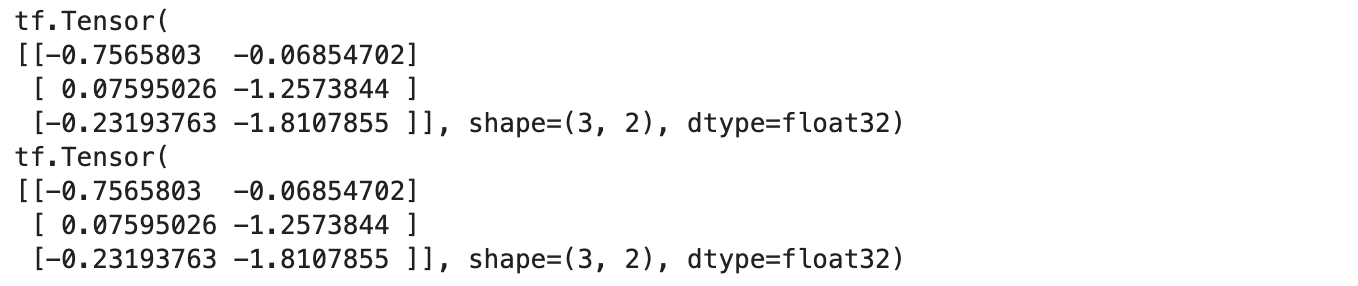
Output
We observe that two tensors that are generated randomly are the same. This is because we are using the same seed to generate both. We will be able to observe different results if the seeds are different. This is called pseudo-randomness i.e. they appear to be random but they are not. This has an application in generating the same validation set during ML model training.
We can also use TensorFlow to randomly shuffle (of course with seed) tensors.
# Create a tensor
not_shuffled = tf.constant([[1, 2],
                        [3, 4],
                        [5, 6]])
print(not_shuffled)
# Get different results every time
tf.random.shuffle(not_shuffled)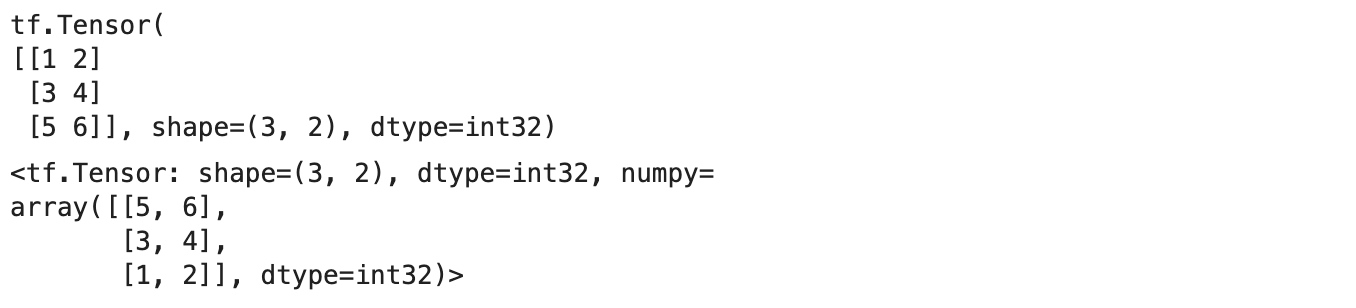
Output
Now let’s see how interoperability between NumPy arrays and Tensorflow tensors.
Interoperability between Numpy and TensorFlow
We can convert the NumPy array to TensorFlow tensors for ease of operation and vice versa.

Output
To convert NumPy arrays to tensors, we need to pass the shape of the tensor and it should match the size of the input array. Now let’s see some operations we can perform on tensors.
Operations on Tensors
We can perform all basic arithmetic operations like addition, subtraction etc on tensors directly.
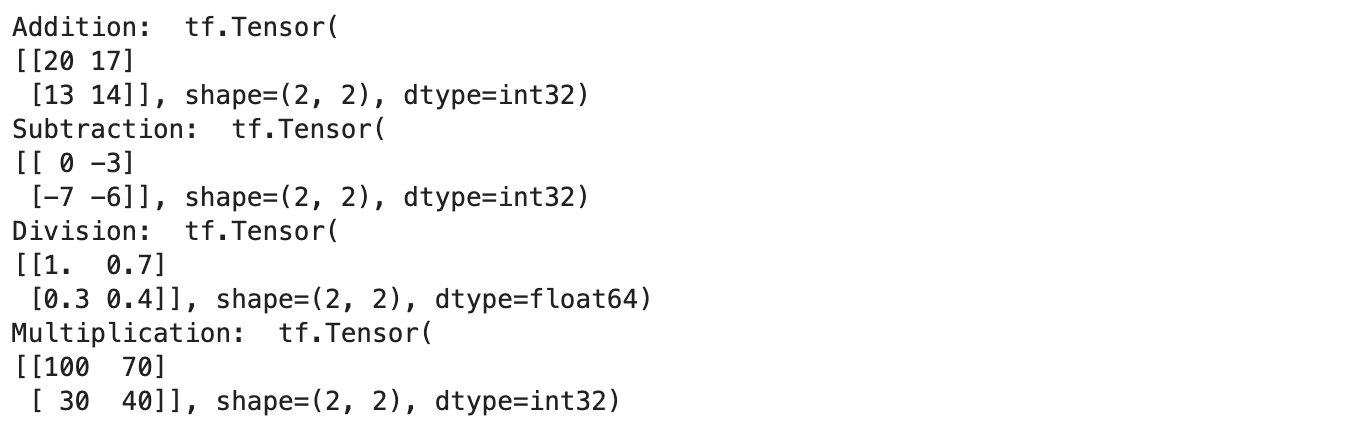
Output
Tensorflow also has functions to support the same operations.
# Tensor manipulation using tensorflow functions
sample_tensor = tf.constant([[10, 7], [3, 4]])
print("Addition: ", tf.add(tensor, 10))
print("Subtraction: ", tf.subtract(tensor, 10))
print("Division: ", tf.divide(tensor, 10))
print("Multiplication: ", tf.multiply(tensor, 10))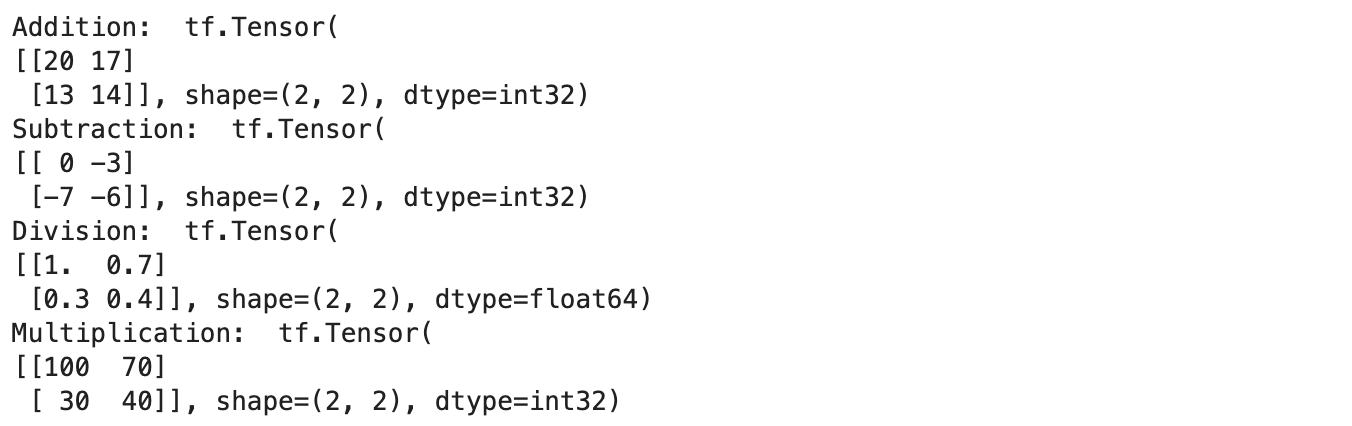
Output
We can see that both the results are the same…so why do we need a separate function when we can do it directly. This is because the TensorFlow functions are faster and easier to handle when we are running as a part of the TensorFlow graph.
We can also perform matrix multiplication similarly.
# Tensor A
A = tf.constant([[1, 2, 3],
                 [4, 5, 6]])
# Tensor B
B = tf.constant([[7, 8],
                 [9, 10],
                 [11, 12]])
print("Matrix A: ", A)
print("Shape of Matrix A: ", A.shape)
print()
print("Matrix B: ", B)
print("Shape of Matrix B: ", B.shape)
print()
print("Matrix multiplcation result: ", tf.matmul(A, B))
print("Matrix multiplcation result: ", tf.matmul(A, B).shape)
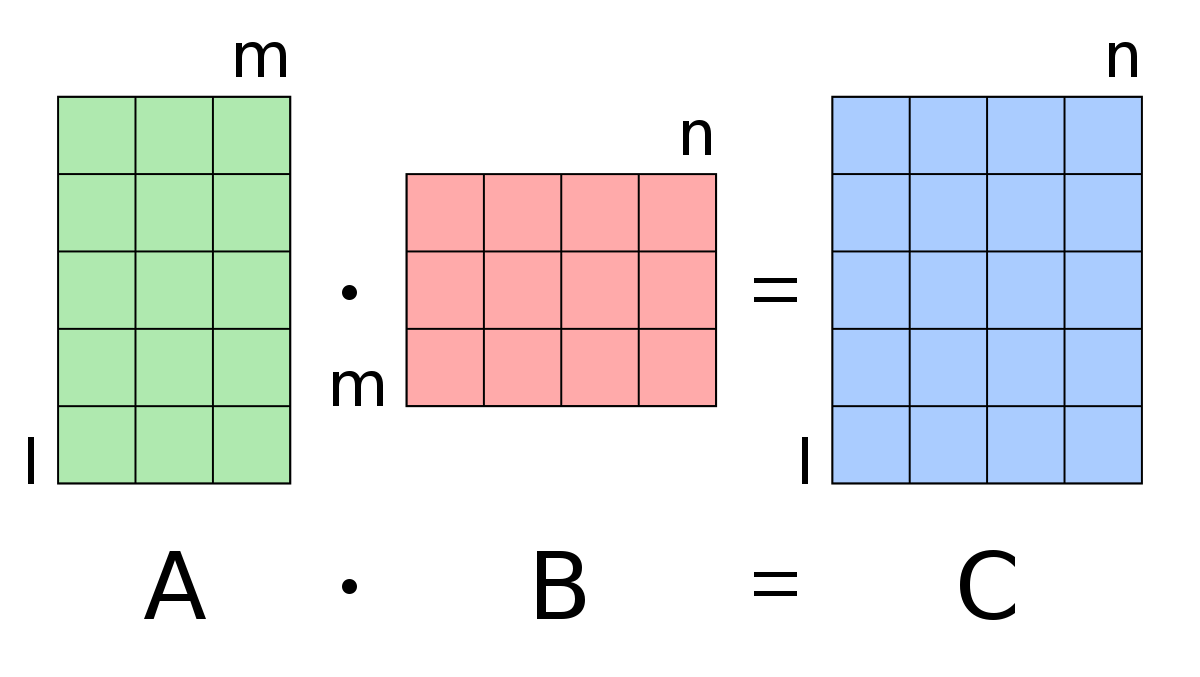
We know that for matrix multiplication to work between two matrices, the number of columns in the first matrix should match with the number of rows in the second matrix. We can also perform matrix multiplication by using the @ operator.
Now let’s check how we can use TensorFlow to convert the data type of one tensor to another.
# Create a new tensor with default datatype (float32)
A = tf.constant([1.7, 7.4])
# Create a new tensor with default datatype (int32)
B = tf.constant([1, 7])
print("A: ", A)
print("A Data type: ", A.dtype)
print()
print("B: ", B)
print("B Data type: ", B.dtype)
We have created two tensors with different datatypes i.e. float32 and int32.

Now let’s cast the data types,
# Cast float to int
A = tf.cast(A, dtype=tf.int32)
print(A)
# Cast int to float
B = tf.cast(B, dtype=tf.float32)
print(B)

Output
In this, we can convert from one data type to another or also change the precision of the data type i.e. convert the type from float32 to float16.
Check the device list using Tensorflow
Now finally let’s see how to use Tensorflow to check the list of physical devices available.
print(tf.config.list_physical_devices())
From the above line, we will get the list of devices available for computation i.e. CPUs, GPUs, and TPUs. We can also check if we have any Nvidia GPU available using the following command.
!nvidia-smi
Conclusion
We have discussed some important concepts about the basics of TensorFlow for Deep Learning in this blog. Most of the operations discussed above will be done automatically by TensorFlow for Deep Learning when we use some higher-level functions, but knowing these underlying concepts and code will be helpful when we are trying to debug or test our code.


