

Introduction
In this article, we are going to talk about data streaming with apache spark in Python with codes. We will also talk about how to persist our streaming data into MongoDB.We have already covered the basics of Pyspark in the last article if you haven’t checked it out yet the link is here.
Before Apache Spark, Hadoop had been used for batch processing and couldn’t be used in real-time data processing because of higher latency. Processing a massive amount of data requires a near real-time processing capability.
Apache Spark offers a flexible streaming API for data streaming and supports various data sources.
Spark Streaming
Spark Streaming provides a highly scalable, resilient, efficient, and fault-tolerant integrated batch processing system. Spark comes with a unified engine that supports both batch processing as well as streaming workloads.
Spark streaming makes use of a new architecture and that is Discretized Streams for data streaming.
Spark DStream(Discretized Stream) is a basic Spark Streaming Abstraction. It’s a continuous stream of data.
Spark Streaming discretizes the data into micro, tiny batches. These batches are internally a sequence of RDDs.The receivers receive the data in parallel and buffer it into the in-memory of worker nodes in spark.
Features of Spark Streaming
- Dynamic Load balancing
- fault-tolerant
- supports advanced analytics and MLlib
- higher throughput
Objective
In this article we will see:
- Stream a CSV file in Spark SQL
- Temporary table view
- Running queries on Spark SQL
- Use write stream to write on the console
Spark Streaming
Our goal is to stream a CSV file as Spark SQL. This is totally different from loading a CSV file as a spark SQL. While Streaming if we add some rows in our source CSV file it will instantly reflect in our Spark SQL.
Even if we add a new CSV file having the same schema in the streaming folder it will automatically be loaded in our spark SQL.

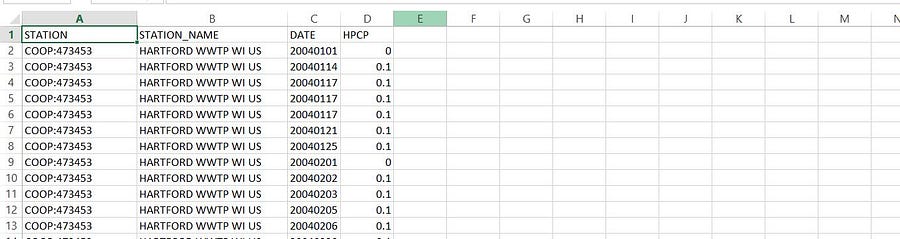
Our source data contains 4 columns.
- Station → Station Code
- Station Name
- Date
- HPCP → Hourly Precipitation
The data.csv must be kept in a folder (source folder) from where the files will be taken for our streaming, we can also stream a single file, if any changes occur in the CSV file it will be instantly reflected in our spark stream.
Spark Session
A spark session must be created first in order to work with spark. Spark session defines where our spark node is running, how many cores it gonna use, and so on.
from pyspark.sql import SparkSession
spark = SparkSession
    .builder
    .master("local[*]")
    .appName("myApp")
    .getOrCreate()
.master(“local[*]”)It tells that we are running spark locally and*signifies that we are using all available cores.getOrCreate()It creates a Session if not exist by the appName.
Schema
Now we need to create a schema ( a structure of the data to be streamed) in spark. This can be done using Spark SQL API.
from pyspark.sql.types import FloatType, StructField, StructType, StringType
schemaRain = StructType([
    StructField("STATION",StringType(),True),
    StructField("STATION_NAME",StringType(),True),
    StructField("DATE",StringType(),True),
    StructField("HPCP",FloatType(),True)
])
The argument True signifies that the value is nullable, and we are using respective columns data types.
Streaming
After creating the session and schema we can start our reading stream. We can either stream all files in a folder or a single file.
We kept our CSV file in a folder named files .
df = spark.readStream.schema(schemaRain).option("maxfilesperTrigger",1).csv("./files", header = True)
maxfilesperTrigger→ The number of new files to be considered in every micro-batch. Its default value is 1000.readStream→ It is used to read streaming data.
Verify if Data is Streaming
print(df.isStreaming)
Writing Data in the Console
The writeStream is used to write stream, In this case, we write our stream in the console using the append method as output mode.
df.writeStream.format("console").outputMode("append").start().awaitTermination()
outputMode(‘append’)→ New data will be appended to our output..format(“console”)→ writing data in console format..awaitTermination()→ It waits for the termination signal from the user.
Aggregation in Spark Data Frame
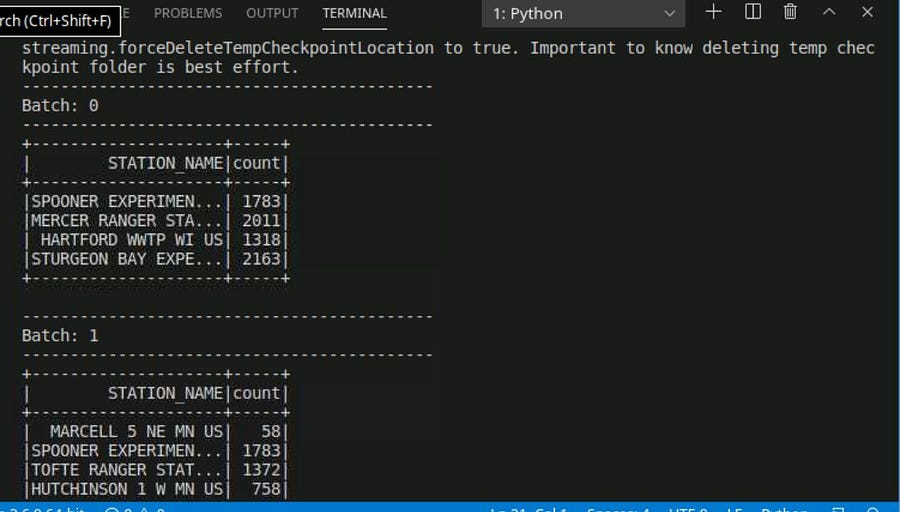
We are going to perform aggregation in spark SQL. Our goal is to count the number of distinct stations.
dfc = df.groupBy("STATION_NAME").count()
printing the dfc dataframe in our console, since it’s a streaming dataframe.
dfc
 .writeStream
 .outputMode(“complete”)
 .format(“console”)
 .start().awaitTermincation()

SQL Queries on Streaming Data
The SQL queries that need aggregation uses the buffer of all worker node to access data from other nodes.
In order to SQL queries, we first need to create a temporary view that will act as a table name.
df.createOrReplaceTempView("tempdf")
Writing Queries
Selecting all station names and Hourly precipitation where HPCP = 999.99
dfclean = spark.sql("Select STATION_NAME,HPCP FROM tempdf where HPCP == '999.99'")
dfclean
    .writeStream
    .outputMode("append")
    .format("console")
    .start().awaitTermination()

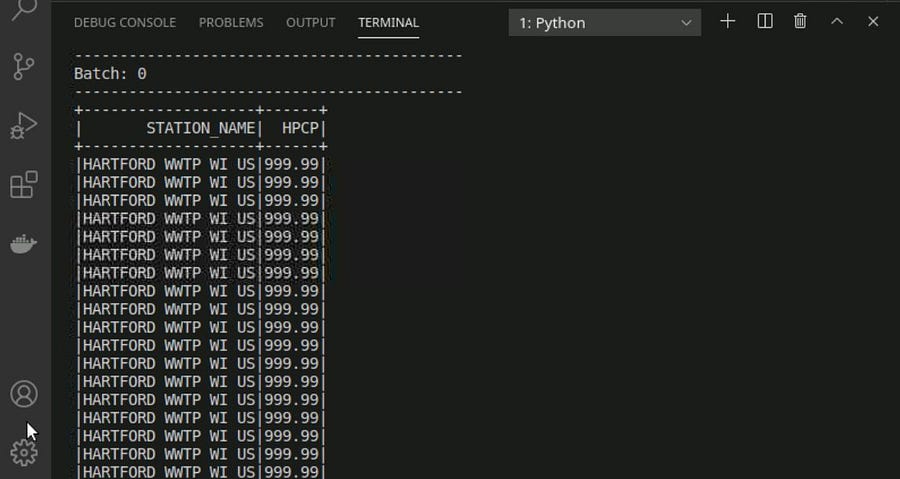
If we add a new file in our source folder or update our source CSV file the result will instantly get changed.
Writing the Streaming Data into MongoDB
The stream which we are writing in our console can be easily written in our Mongo DB.
First, we need to establish a connection between our spark and our Mongo DB while creating the spark Session.
spark = SparkSession
    .builder
    .master("local[1]")
    .appName("myApp")
    .config("spark.mongodb.input.uri", "mongodb://127.0.0.1/prcp.hpcp")
    .config("spark.mongodb.output.uri", "mongodb://127.0.0.1/prcp.hpcp")
    .config("spark.jars.packages", "org.mongodb.spark:mongo-spark-connector_2.12:3.0.1")
    .getOrCreate()
- input and output URI for MongoDB can be easily found after creating the DB server.
- We also need to specify the driver for the mongo DB connection.
- The writing operation of streaming data can be performed row by row.In order to write our data row by row, we need to create a writer function.
def write_row(batch_df , batch_id):
    batch_df.write.format("mongo").mode("append").save()
    pass
Writing Stream
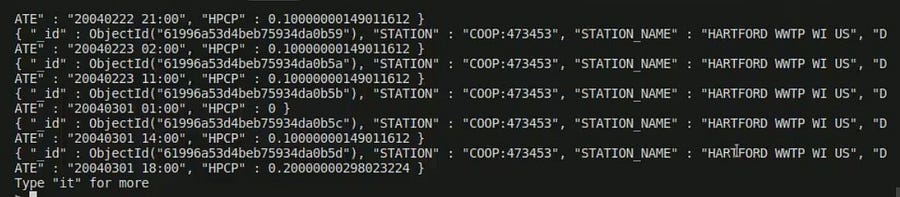
write_row will be called for every batch of data and will write our data in the Mongo DB. For more detailed information refer to this article.
df.writeStream.foreachBatch(write_row).start().awaitTermination()

Conclusion
In this article, we have discussed the spark streaming pipeline in python and managing the configuration while creating sessions.
These are the following takeaways from this article.
- Basic functions associated with Spark streaming in python.
- Spark can stream data from local files, Internet sockets, and APIs as well. Streaming data can be written in append, complete modes.
- Persisting our streaming data to MongoDB.