




Introduction
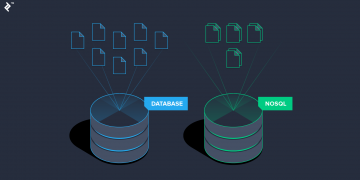
In this article, we are going to cover all 4 types of No-SQL databases a.k.a not only SQL databases one by one. No-SQL databases are gaining huge popularity because of the growing data and evolution in cloud technology.
We will understand why no-SQL databases are gaining so much popularity and the differences between SQL and no SQL databases and how they work in our modern-day development process
Why No-SQL databases?
- No-SQL databases are widely used in cloud technologies because of their ability to work in distributed systems and are easy to scale horizontally.
- No-SQL databases follow a code-first approach, here we don’t need to design our schema at first.
- No-SQL databases support a wide variety of data including structured, semi-structured, and unstructured.
- It supports auto replication features that make NO-SQL databases highly available and provide fault tolerance.
When to Use No-SQL?
- When a huge amount of data need to be stored and retrieved and has no significant relationship in between.
- Data is unstructured and changing over time.
- Joins and constraints are not required.
- When data is growing continuously and you might need to scale the database in the future.
Note: In NO-SQL databases ACID properties are not applicable instead BASE properties takes place
The BASE model mainly focuses on data availability while the ACID model focuses on data consistency.
The BASE stands for :
- Basically-Available → NoSQL database ensures data availability by replicating and spreading data across the database cluster.
- Soft State → NoSQL databases have no immediate data consistency, data values change over time.
- Eventually consistent → BASE model doesn’t ensure immediate consistency doesn’t mean that it will never be consistent.
Types of No-SQL Database
NoSQL databases are of 4 types:
1) Document databases
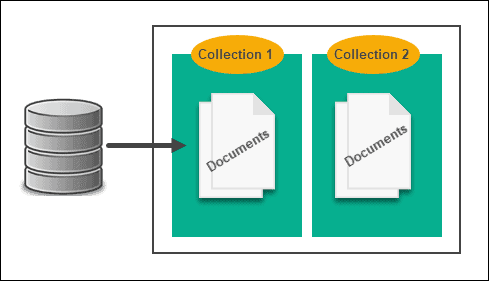
In this type of NoSQL databases data is considered a document and typically stored in either JSON or XML format. this offers a flexible schema. This type of database is majorly used for apps, event logging, online blogging, etc.
ie . IBM CLOUDANT, mongoDB,CouchDB etc.
In this article, we will learn about MongoDB in detail.
2) Key-Value stores
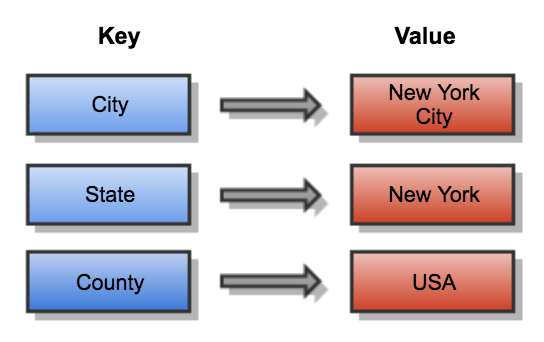
These types of databases are the least complex NoSQL databases. Here keys and values are stored as a hashmap, they’re powerful for basic Create-Read-Update-Delete operations.
These types of databases are not made for complex queries.
Popular key-value databases are Amazon DynamoDB, Oracle NoSQL Database, Redis, Aerospike, Riak KV, and MemcachedDB.
3) Column Oriented Databases
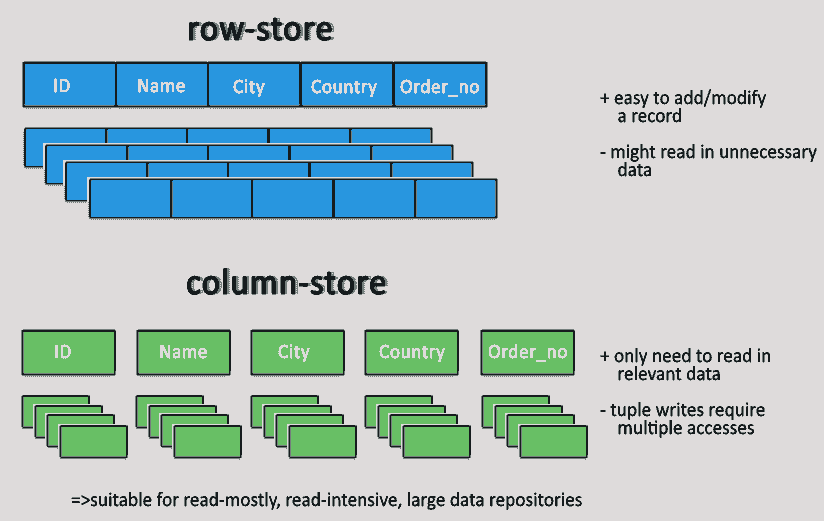
These databases focus on columns and groups of columns when storing and accessing data. Columns are grouped into families on the basis of how often they are getting retrieved. Column-based databases are a good fit when working with large amounts of sparse data. Column-based NoSQL databases are mainly used for event logging and blogs, counters, and data with expiration values.
i.e. Cassandra, H-Base, Hypertable, etc.
4) Graph Database
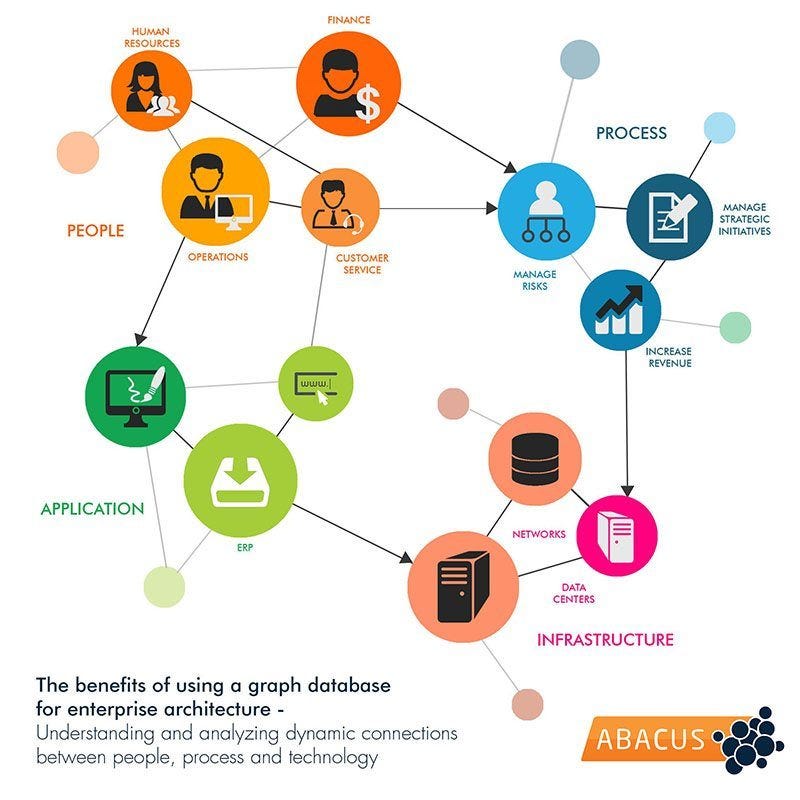
These databases store information in nodes and relationships on the edges. These are best suited for graph-type data structures. Graph databases are not good for horizontal scaling. It follows ACID properties.
Graph databases are used in social networking, Maps, Recommendation engines, etc.
i.e., Neo4j, amazon Neptune, etc.
Document Databases
We are going to learn MongoDB a very popular document-based database in detail.
1) Installing MongoDB
MongoDB can be installed in a local machine or can be run in a docker container over the cloud.
Download the installer using this link and follow the step-by-step procedure from this video.
2) Getting Started with MongoDB
After installing the MongoDB run the MongoDB server by command mongo and verify the MongoDB version.
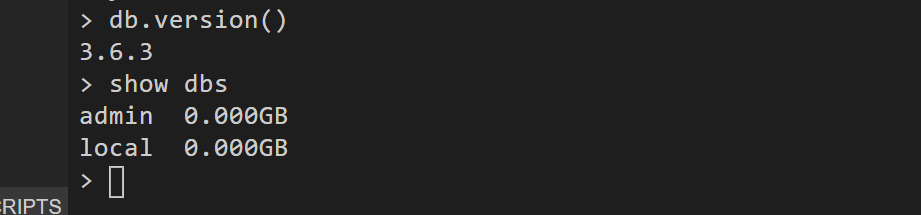
show dbs → returns all the available databases in our MongoDB.

db.version() → shows the version.
In MongoDb a database contains various collections and a collection contains various documents.
MongoServer → Databases → Collections → Documents
Create Operations in MongoDB
- Creating a Database
use training → This will create a new database training. If a database training already exists, it will start using it.

After Selecting a Database we can create various collections in that selected database. a collection holds our documents.
- Creating Collections
db.createCollection(“languages”)→ creating a collection named language inside the training database.

- Inserting Documents
Accessing collections in MongoDB is easy.
db.collection_name.function()
For inserting documents we have insertand insertMany function available.
db.languages.insert({“name”:”java”, “type”:”object oriented”})

insert() →inserts one document at a time
insertMany() →and can insert a list of documents at a time.
For inserting many documents at a time we first create a list of documents.
list =
[
        {
                "name" : "python",
                "type" : "object oriented"
        },
        {
                "name" : "cpp",
                "type" : "object oriented"
        }
]
> db.languages.insertMany(list)
As you notice that insertMany() automatically assigned an objectId to every inserted document. If you don’t specify an object id MongoDB automatically assigns an object id to every document in a collection.
Read Operations in MongoDB
After Storing documents in the collection we need to retrieve those documents.
db.languages.count() → Prints the total number of documents in language collection.
db.languages.find() →lists all the documents in the collection languages.
db.languages.findOne() →lists the first document from the collection languages.
db.languages.find().limit(2) → lists only 2 documents.
db.languages.find({“name”:”python”}).limit(3) → lists only 3 documents having the name = “python” from the selected collection.
db.languages.find({},{“name”:1}) → lists only name field from the documents.

db.languages.find({},{“name”:0}) → lists all the fields except the name from the documents.

Update Operations
For Updation MongoDb supports update() and updateMany() functions.
update() modifies only one matching document while updateMany() modifying all the matching documents.
We can update the existing values or we can add new fields using update functions.
db.languages.update({“name”:”python”},{$set:{“difficulty”:”easy”}}) →
This command first locates documents having the name field “python” and then modifies the “difficulty” field as “easy” if the “difficulty” field does not exist in documents it creates a “difficulty” field and assigns the value “easy” to it.

db.languages.updateMany({},{$set:{“desc”:”programming language”}}) →
This command adds the “desc” field to every document and set the given value to it.

Delete Operation
The remove function lets delete matching documents or all the documents.
db.languages.remove({“name”:”cpp”}) → removes the document having a name field equal to “cpp”.
If no condition is provided it will delete all the documents from the selected collection.
db.languages.remove({}) → removes all the documents inside the language collection.

Indexing in MongoDB
Database queries take much time to complete while working with a big volume of data.
Imagine that in our MongoDb we have 200000 documents and if we search a document based on account_noit will search for all the 200000 documents. by Creating an index on the field we are comparing with, we can reduce the time taken by a query.
db.bigdata.find({"account_no":58982}).explain("executionStats").executionStats.executionTimeMillis
> 238
It took 238 milliseconds for searching, account_no:58982now let’s optimize the same search query by making an index.
db.bigdata.createIndex({"account_no":1})
db.bigdata.getIndexes()
Now running the same search query :
db.bigdata.find({"account_no": 69271}).explain("executionStats").executionStats.executionTimeMillis
> 18
WHOA!! This time it only took 18 milliseconds.
Deleting an Index
We can delete the index after our job is done
db.bigdata.dropIndex({“account_no”:1})Aggregation In MongoDB
MongoDB provides us some simple aggregator operators like $sort, $limit, $group, $sum, $min, $max, and $avg etc.
Note: All the aggregator will work in aggregate function only.
We can combine these operators to create multistaged aggregation pipelines.
These are all the documents available in our database collection.
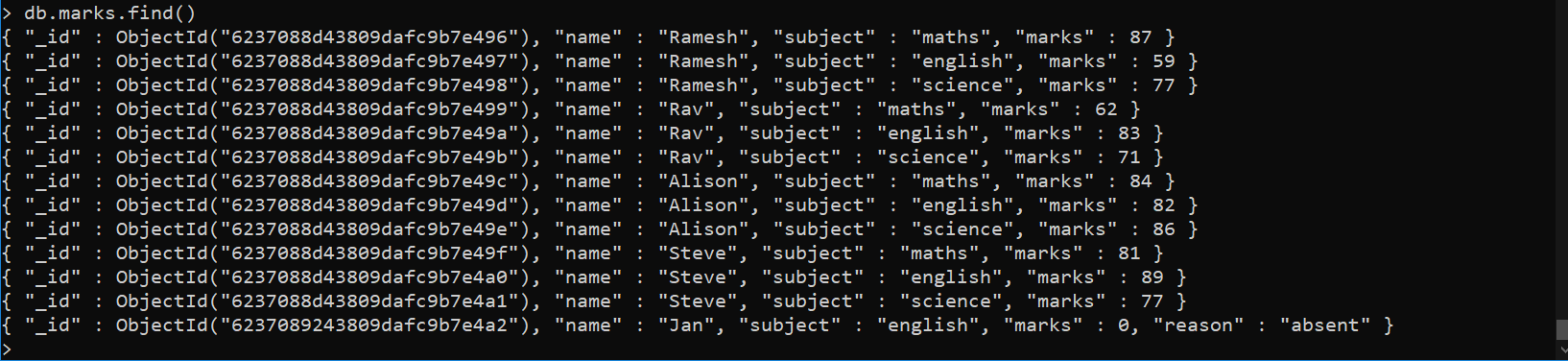
$limit → using the limit operator we can limit the number of documents printed in the output.
$sort →this operator is used to sort the output.
db.marks.aggregate([{"$sort":{"marks":1}}])You can notice that our output is sorted on the basis of marks in ascending order.
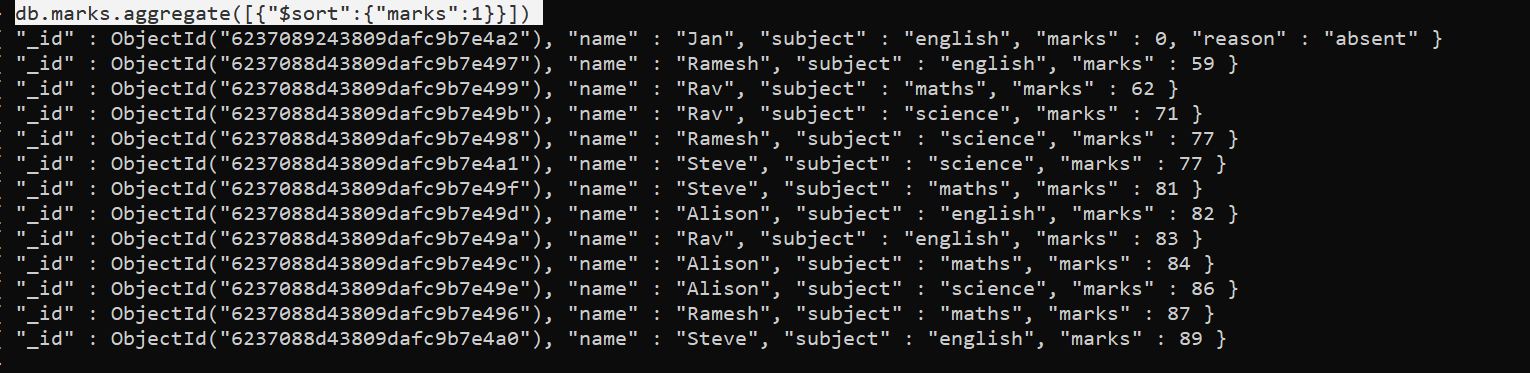
db.marks.aggregate([{"$sort":{"marks":-1}}])When we write {“$sort”:{“marks”:-1}} this will sort in descending order.
We can chain aggregators together to make an aggregation pipeline.
ie.
db.marks.aggregate([
{“$sort”:{“marks”:-1}},
{“$limit”:2}
])
The above code will output 2 documents in descending order on the basis of marks.
$group
The operator $group by, along with operators like $sum, $avg, $min, $max, allows us to perform grouping operations.
db.marks.aggregate([
{
    "$group":{
        "_id":"$subject",
        "average":{"$avg":"$marks"}
        }
}
])
The above query is equivalent to the below SQL query→
SELECT subject, average(marks) FROM marks GROUP BY subject
- Note: In group by
_idfield signifies the field to be grouped by.
db.marks.aggregate([
{"$group":{
       "_id":"$subject","top_subjects":{"$avg":"$marks"}}
},{
"$sort":{"top_subjects":1}
}
])
This will choose top subjects based on the average marks in ascending order.

MongoDB with Python
We need to install the pymongo driver in order to access the MongoDB database from Python.
!pip install pymongo
After installing create a python file and start the MongoDB server using the command prompt using command mongo and copy the MongoDB URI.
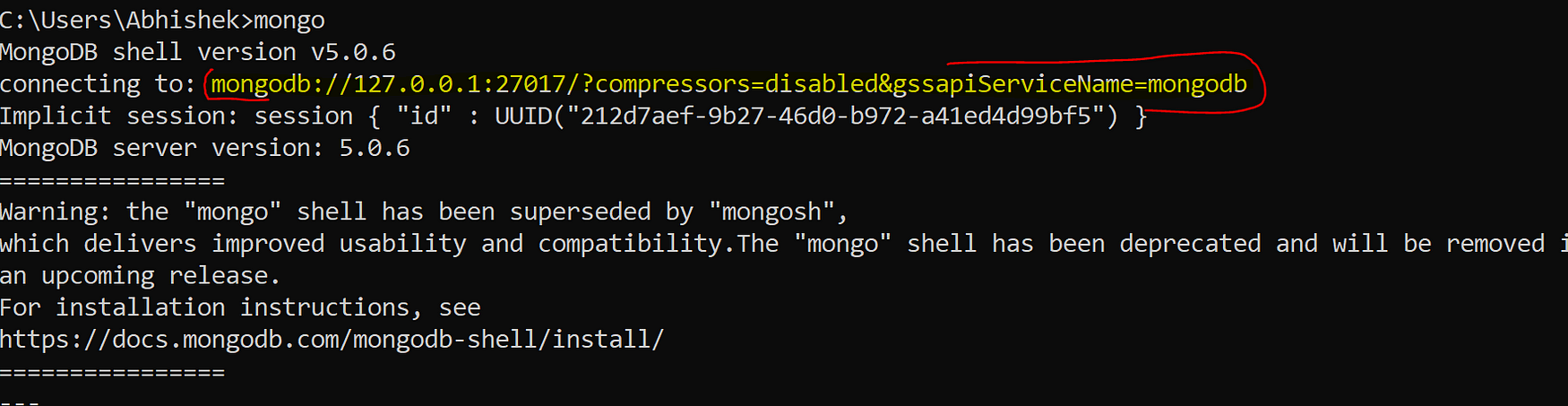
The below Python code will connect to the MongoDB database and returns the available databases.
from pymongo import MongoClient
host='localhost'
#connection url
connecturl = "mongodb://127.0.0.1:27017/?compressors=disabled&gssapiServiceName=mongodb"
# connect to mongodb server
print("Connecting to mongodb server")
connection = MongoClient(connecturl)
# get database list
print("Getting list of databases")
dbs = connection.list_database_names()
# print the database names
for db in dbs:
    print(db)
print("Closing the connection to the mongodb server")
# close the server connecton
connection.close()- connection is a cursor using this we can perform our queries.
db = connection.database_namewill choose the selected database.collection = db.collection_namethis will choose the specified collection.connection.close()will close the connection between MongoDB and python.db.list_collection_names()Running this command will return a list of all collections available.db.collection.insert(doc)Inserts document in MongoDB server using python.docs = db.collection.find()Here docs will be a cursor object we can print documents iteratively.
docs = db.marks.find()
for doc in docs:
    print(doc)
Conclusion
In this article, we learned how NoSQL databases are widely used. we saw the various types of NoSQL databases and their use cases. we saw the benefits of migrating to the NoSQL databases. NoSQL databases are flexible, cost-effective, lighter, and highly scalable but not fully consistent as SQL databases are.
We discussed the following concepts of MongoDB:
- Installing and Running MongoDB
- CRUD operations in MongoDB
- Indexing and optimization of MongoDB
- Aggregators and aggregation pipeline
- MongoDB Python Connection
Nowadays NoSQL is getting popular and widely used doesn’t mean that it will replace Relational Databases in the Future.


