
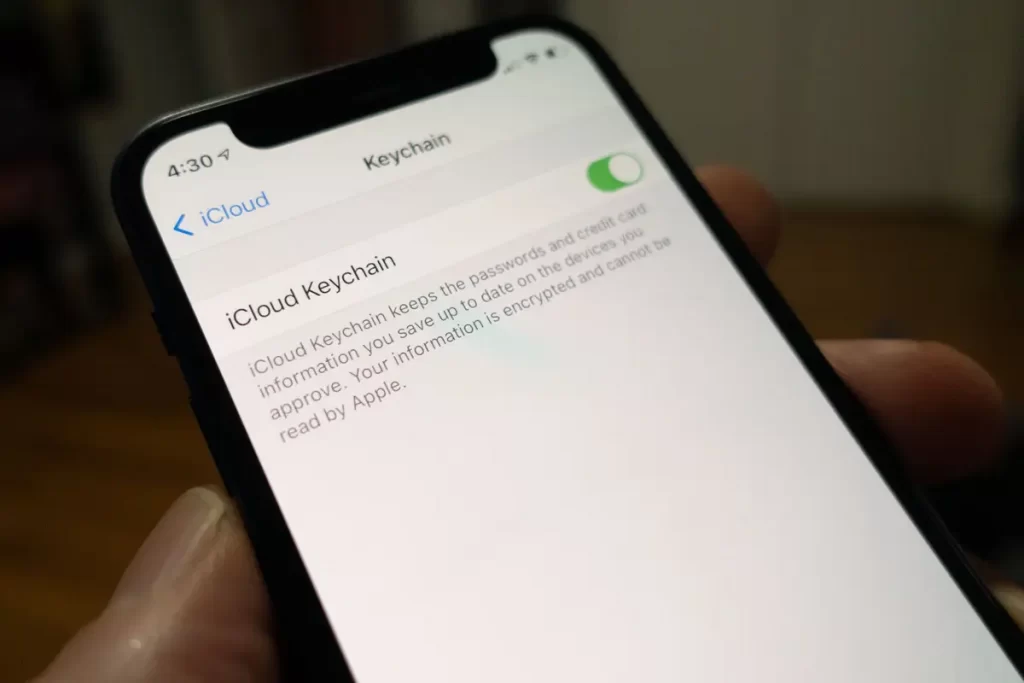
Managing passwords on an iPhone, iPad or even a Mac is free of charge thanks to Apple’s iCloud Keychain.
Apple Password Manager: iCloud Keychain
As per the news story by Apple Insider, the Cupertino tech giant went on to improve its password management service for its devices through its iOS 15, iPadOS 15, and macOS Monterey updates this 2021.
Although Apple’s free password manager, iCloud Keychain, has been existing for years now, the iPhone maker has expanded its functionalities this year.
Some of the latest features of the iCloud Keychain include a two-factor authentication option, detection of any repeated passwords, as well as any possibility of password breaches.
Essentially, according to the report by Business Insider, iCloud Keychain allows its users to save their passwords across multiple apps and even websites automatically. Now, it is even paired along with new additional features.
It is worth noting that there are other popular third-party password managers out there that charge a subscription fee to use.
It turns out that Apple is allowing its users to access the features of iCloud Keychain without any fees, making it completely free.
How to Enable iCloud Keychain
To turn on the password manager of Apple, all you’ll have to do is go to the settings of your device.
For iPhone and iPad users, here’s how to enable iCloud Keychain.
- Go to the Settings app.
- Select your name found on top of the app.
- Then, tap the iCloud option.
- Next, select the Keychain option.
- After which, toggle the iCloud Keychain to turn it on.
It is to note that your iPhone or iPad may require you to enter your password for Apple ID to enable this feature.
How to Turn on Apple’s iCloud Keychain on Mac
iMac and MacBook users could also manage their passwords across various apps and sites by enabling iCloud Keychain, just like how iPhone and iPad users do.
However, the process of turning the password manager feature on is slightly different for Mac users. Here’s how to do it:
- Open the System Preferences app on your Mac.
- Then, select Apple ID, which is found on the first row, and click for iCloud. However, if you are using an older macOS, a Mojave, or even earlier, click iCloud on the third row.
- Next, from the list of apps, look for Keychain.
- Then, check the box beside it to turn it on.
Yet again, your Mac may ask you to enter your Apple ID password to apply the changes.