

Here’s the backstory of this article:
I was working on a Computer Vision Project as a part of an internship and I needed a script which can generate custom B/W gradient images. By custom gradient, I mean images like this:

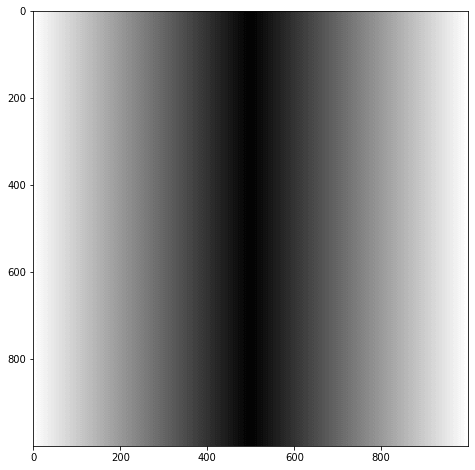
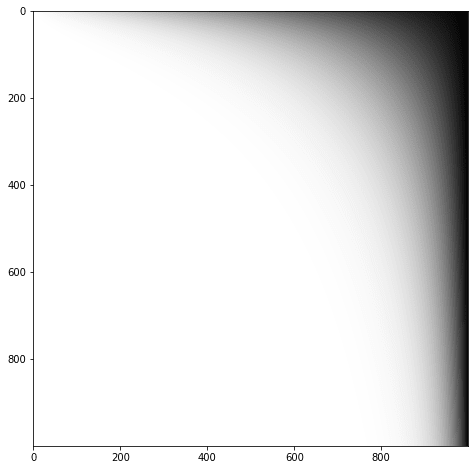
Along with the above structures, I also wanted to vary the spread of the gradient and combine different such structures to get the following samples:


I tried to search online but couldn’t find the solution which I really wanted. To help others like me, I decided to write this article. I use NumPy arrays with loops to generate such gradient images.
Code:
Gradients are essentially uneven arrays of numbers. So first, we have to write a function for uneven array creation. Refer this for explanation:
| # cross = True if cross crease is wanted | |
| def create_uneven_array(low, up, steps, spacing=1, cross=False): | |
| span = up – low | |
| dx = 1.0 / steps | |
| if cross: | |
| arr = np.array([low + (i*dx)**spacing*span for i in range(steps//2)]) | |
| return np.append(arr, arr[::–1]) | |
| else : | |
| arr = np.array([low + (i*dx)**spacing*span for i in range(steps)]) | |
| return arr |
We can use this function for creating different types of gradients as follows:
| def parabolic_crease(spacing, c, scale=100, corner=1, resolution = 1000): | |
| “”” | |
| Parameters: | |
| spacing = controls how close the intermediate values will be to lower value | |
| c = higher the c more spread out the gradient will be | |
| scale = lesser the scale more concentrated is gradient towards the corner | |
| “”” | |
| img = np.zeros((resolution, resolution)) | |
| # Varying the scale parameter of create_uneven_array will give the parabolic gradient transition | |
| for i in range(resolution): | |
| img[i] = create_uneven_array(255, 0, resolution, spacing + c*i/scale) | |
| if corner == 1: | |
| return img | |
| elif corner == 2: | |
| return img[::–1] | |
| elif corner == 3: | |
| return img.T | |
| else: | |
| return img.T[::–1] | |
| # If cross=1, then cross crease else linear crease is returned | |
| def cross_crease(spacing, cross=1, resolution = 1000): | |
| a = create_uneven_array(255, 0, resolution, spacing, cross=True) | |
| img = np.tile(a, (resolution, 1)) | |
| return normalize_img(img*img.T) if cross else img |
Finally, we can write a function which returns a gradient of one of the above types with random parameters:
| # Final function to return some random crease from 8 different types | |
| def custom_crease(): | |
| spacing = random.uniform(1, 1.5) | |
| scale = random.randint(100, 300) | |
| corner = random.randint(1, 4) | |
| # constant determines the type of crease and also is used to scale spacing in parabolic_crease | |
| constant = random.randint(1, 10) | |
| # Returning those creases which are based on parabolic | |
| parabolic = parabolic_crease(spacing, constant, scale, corner) | |
| if constant == 1: | |
| return parabolic | |
| elif constant == 2: | |
| return normalize_img(parabolic*parabolic.T*parabolic[::–1]*parabolic.T[::–1]) | |
| # Returning those creases which are based on parabolic and cross | |
| cross = cross_crease(spacing) | |
| if constant == 3: | |
| return cross | |
| elif constant == 4: | |
| return normalize_img(parabolic * cross) | |
| elif constant == 5: | |
| return normalize_img(cross * parabolic * parabolic.T) | |
| # Returning those creases which are based on parabolic and linear | |
| linear = cross_crease(spacing, 0) | |
| if constant == 6: | |
| return linear | |
| elif constant == 7: | |
| return linear.T | |
| else: | |
| return normalize_img(linear * parabolic) |
Finally, when we run the custom_gradient() function, it will return one of the gradient image type. Complete code is available in this notebook.
Thanks for reading 🙂
Have a nice day!