
• Latest
  • Trending
Kingston XTS-AES Encrypted USB Drive with USBtoCloud Back Up

Kingston XTS-AES Encrypted USB Drive with USBtoCloud Back Up

July 7, 2022
Absa and Visa Extend Strategic Partnership to Advance Growth and Innovation Across Africa

Absa and Visa Extend Strategic Partnership to Advance Growth and Innovation Across Africa

July 29, 2025
French Telco Orange Hit by Cyber-Attack

French Telco Orange Hit by Cyber-Attack

July 29, 2025
ATC Ghana supports Girls-In-ICT Program

ATC Ghana supports Girls-In-ICT Program

April 25, 2023
Vice President Dr. Bawumia inaugurates  ICT Hub

Vice President Dr. Bawumia inaugurates ICT Hub

April 2, 2023
Co-Creation Hub’s edtech accelerator puts $15M towards African startups

Co-Creation Hub’s edtech accelerator puts $15M towards African startups

February 20, 2023
Data Leak Hits Thousands of NHS Workers

Data Leak Hits Thousands of NHS Workers

February 20, 2023
EU Cybersecurity Agency Warns Against Chinese APTs

EU Cybersecurity Agency Warns Against Chinese APTs

February 20, 2023
How Your Storage System Will Still Be Viable in 5 Years’ Time?

How Your Storage System Will Still Be Viable in 5 Years’ Time?

February 20, 2023
The Broken Promises From Cybersecurity Vendors

Cloud Infrastructure Used By WIP26 For Espionage Attacks on Telcos

February 20, 2023
Instagram and Facebook to get paid-for verification

Instagram and Facebook to get paid-for verification

February 20, 2023
YouTube CEO Susan Wojcicki steps down after nine years

YouTube CEO Susan Wojcicki steps down after nine years

February 20, 2023
Inaugural AfCFTA Conference on Women and Youth in Trade

Inaugural AfCFTA Conference on Women and Youth in Trade

September 6, 2022
  • Consumer Watch
  • Kids Page
  • Directory
  • Events
  • Reviews
Saturday, 18 July, 2026
  • Login
itechnewsonline.com
  • Home
  • Tech
  • Africa Tech
  • InfoSEC
  • Data Science
  • Data Storage
  • Business
  • Opinion
Subscription
Advertise
No Result
View All Result
itechnewsonline.com
No Result
View All Result

Kingston XTS-AES Encrypted USB Drive with USBtoCloud Back Up

by ITECHNEWS
July 7, 2022
in Data Storage, Leading Stories
0 0
0
Kingston XTS-AES Encrypted USB Drive with USBtoCloud Back Up

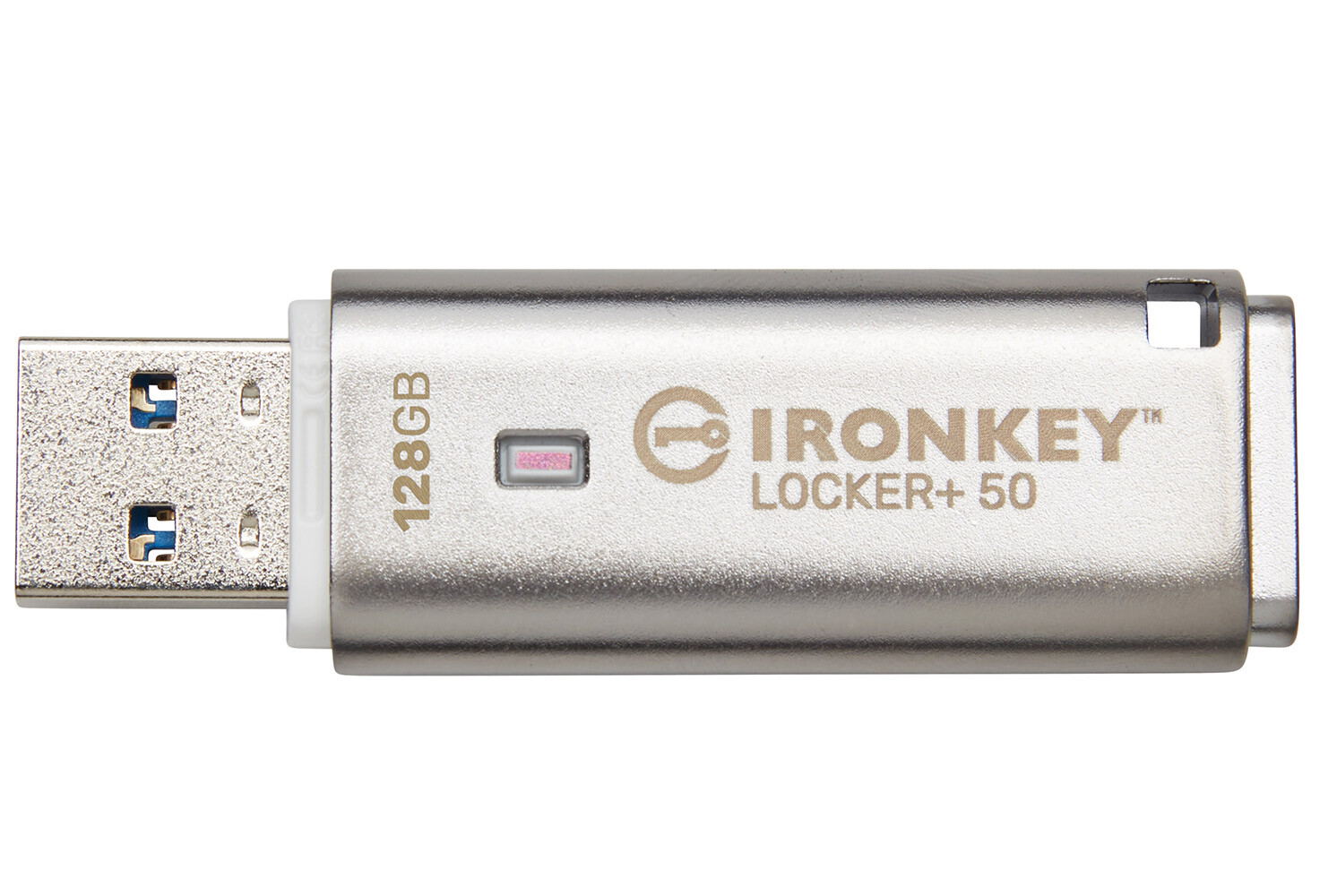
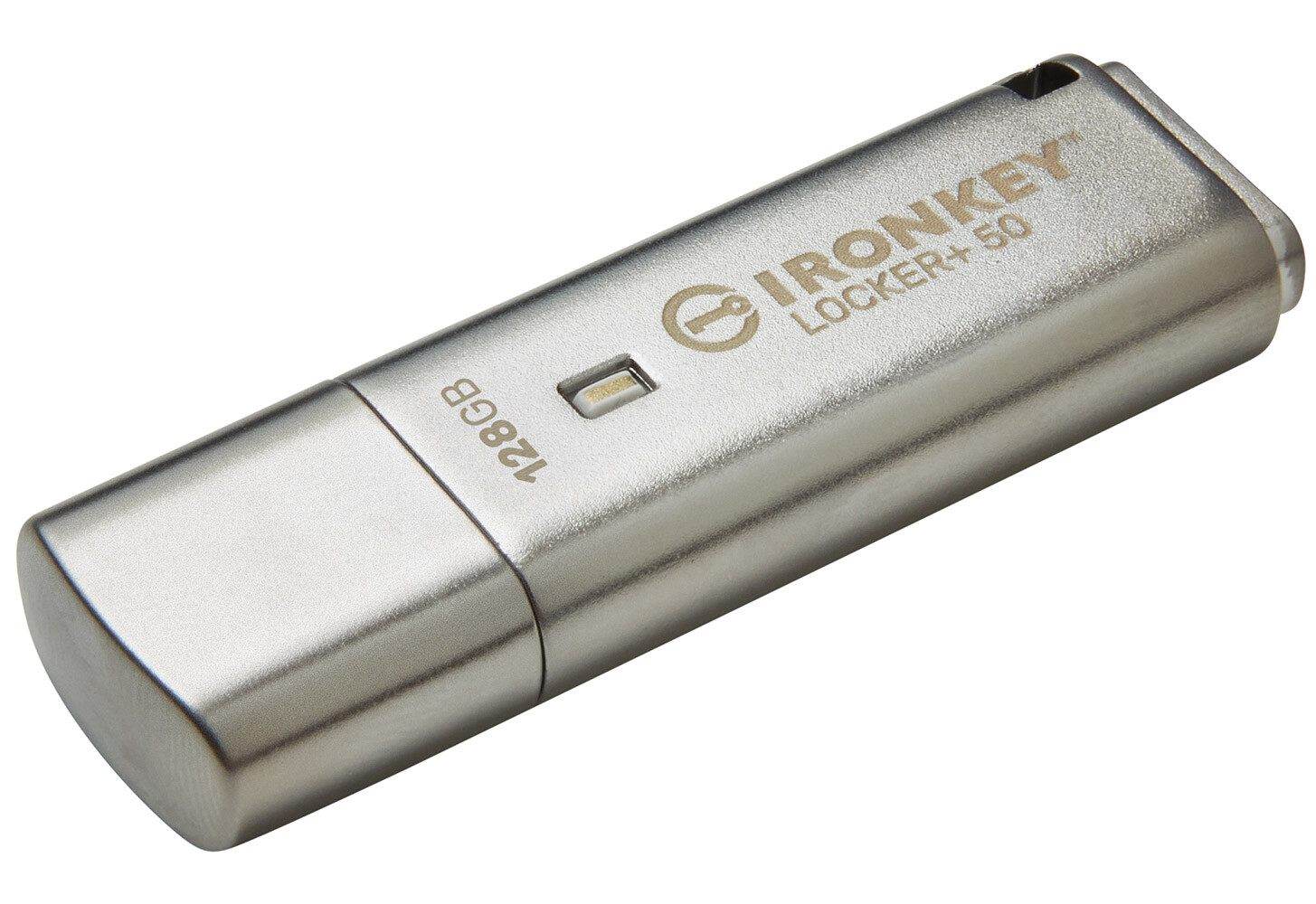
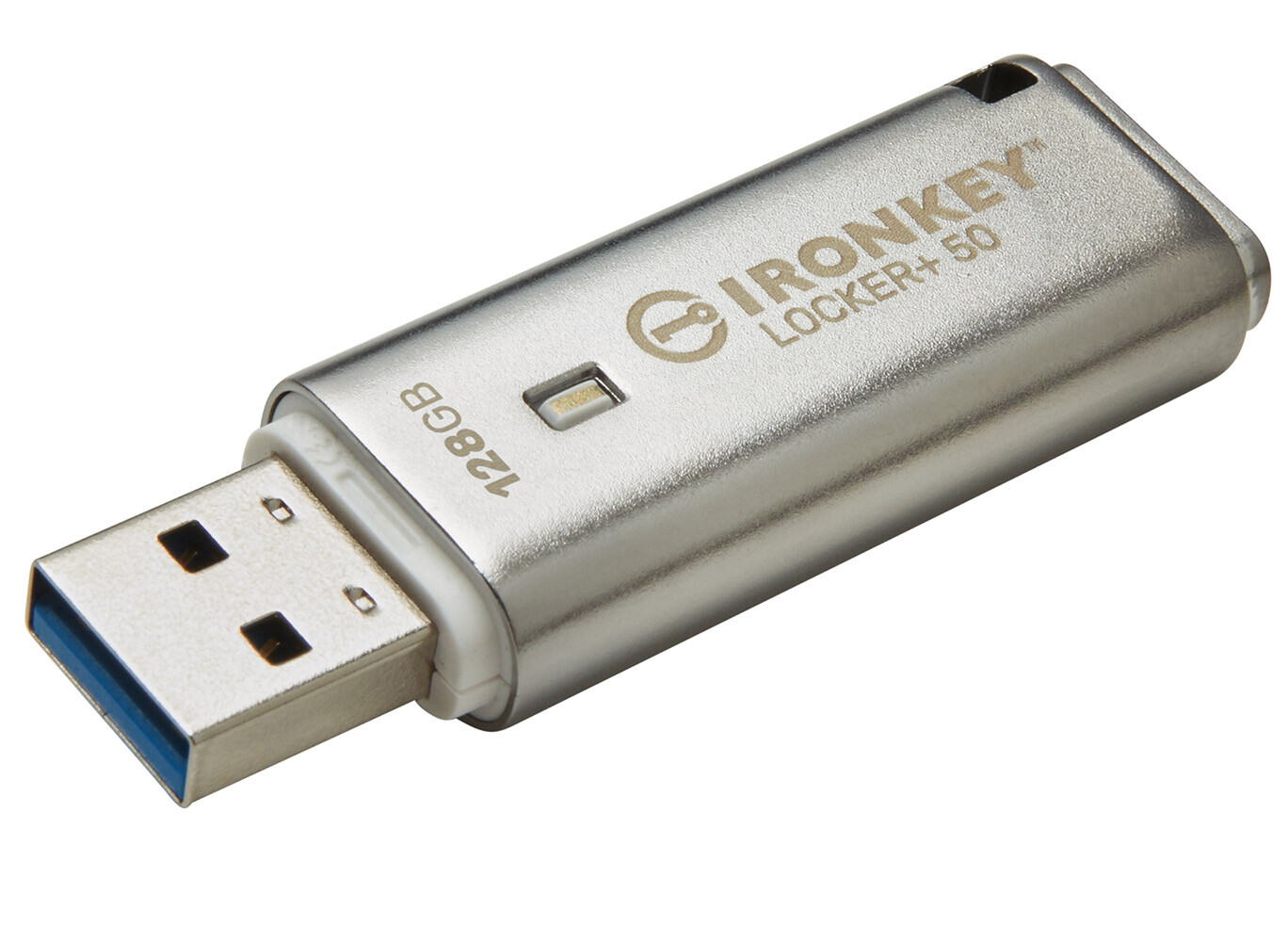
Kingston Digital Europe Co LLP, a flash memory affiliate of Kingston Technology Company, Inc., a world leader in memory products and technology solutions, today announced the release of IronKey Locker+ 50 (LP50) USB Flash drive that provides consumer-grade security with AES hardware-encryption in XTS mode to safeguard against BadUSB with digitally-signed firmware and Brute Force password attacks.

Kingston IronKey Locker+ 50 offers multi-password, Admin and User, option with Complex or Passphrase modes. Complex mode allows for passwords from 6-16 characters using 3 out of 4 character sets, while new passphrase mode allows for a numeric PIN, sentence, or even a list of words from 10 to 64 characters long; along with support for international characters. To reduce failed login attempts during password entry, the “eye” symbol can be enabled to reveal what has been typed. But should a User password be forgotten; the Admin password can be used to access the data on the drive or reset the User password.
YOU MAY ALSO LIKE

French Telco Orange Hit by Cyber-Attack

ATC Ghana supports Girls-In-ICT Program

LP50 is designed for convenience with its small metal casing and built-in key loop, along with the optional feature of USBtoCloud (by ClevX ), users can take and access their data anywhere. LP50 is easy for anyone to setup whether you use Google Drive, OneDrive (Microsoft ), Amazon Cloud Drive, Dropbox or Box for your personal cloud storage. Plus, all the software and security needed is already on the drive so no application installation required, and it works on both Windows and macOS so users can work from multiple systems.

“We are excited to offer another great option for those looking to store their sensitive personal or business data with our IronKey Locker+ 50,” said Oscar Escayola Kaloudis, EMEA Flash Business Manager, Kingston. “LP50 has our most requested feature, dual passwords, along with a new Passphrase mode that will allow users to pick a password that is easier to remember.”

Kingston IronKey Locker+ 50 is available in capacities from 16 GB – 128 GB and is backed by a limited five-year warranty, free technical support and legendary Kingston reliability.

Kingston IronKey Locker+ 50 Features and Specifications:

  • Hardware-encrypted USB Drive with XTS-AES Encryption: Safeguard important data with built-in protection against BadUSB & Brute Force attacks.
  • Multi-Password (Admin and User) Option with Complex/Passphrase Modes: Admin can reset a User password to restore User’s access to data.
  • New Passphrase Mode: Select between Complex or Passphrase password mode. Passphrases can be a numeric PIN, sentence with space characters, list of words, or even lyrics – from 10 to 64 characters long.
  • Automatic Personal Cloud Backup: Access data stored on IronKey Locker+ 50 from your personal cloud storage.
  • Additional Security Features: Reduce failed login attempts and frustration by enabling “eye” button to view the typed password. Use virtual keyboard to shield password entry from keyloggers and screenloggers.
  • Interface: USB 3.2 Gen 1
  • Capacities: 16 GB 32 GB 64 GB 128 GB
  • Connector: Type-A
  • Speed: USB 3.2 Gen 1 gives 16 GB – 128 GB: 145 MB/s read, 115 MB/s write
  • USB 2.0: 16 GB – 128 GB: 30 MB/s read, 20 MB/s write
  • Cloud Services Supported Google Drive, OneDrive (Microsoft), Amazon S3, Dropbox, Box
  • Dimensions: 60.56 mm x 18.60 mm x 9.60 mm
  • Operating Temperature: 0°C to 60°C
  • Storage Temperature: -20°C to 85°C
  • Compatibility: USB 3.0/USB 3.1/USB 3.2 Gen 1
  • Minimum System Requirements: Two (2) free consecutive drive letters required for use
  • Warranty/Support: Limited 5-year warranty, free technical support. A 5-year license (upon activation) to USBtoCloud is included with every IKLP50 drive. Upon expiration of software license, USBtoCloud offers licensing options directly from ClevX.
  • Compatible with: Windows 11, 10, 8.1, macOS (v. 10.14.x – 12.x.x)
Source: btarunr
Via: techpowerup
Tags: Kingston XTS-AES Encrypted USB Drive with USBtoCloud Back Up
ShareTweet

Get real time update about this post categories directly on your device, subscribe now.

Unsubscribe

Search

No Result
View All Result

Recent News

Absa and Visa Extend Strategic Partnership to Advance Growth and Innovation Across Africa

Absa and Visa Extend Strategic Partnership to Advance Growth and Innovation Across Africa

July 29, 2025
French Telco Orange Hit by Cyber-Attack

French Telco Orange Hit by Cyber-Attack

July 29, 2025
ATC Ghana supports Girls-In-ICT Program

ATC Ghana supports Girls-In-ICT Program

April 25, 2023

About What We Do

itechnewsonline.com

We bring you the best Premium Tech News.

Recent News With Image

Absa and Visa Extend Strategic Partnership to Advance Growth and Innovation Across Africa

Absa and Visa Extend Strategic Partnership to Advance Growth and Innovation Across Africa

July 29, 2025
French Telco Orange Hit by Cyber-Attack

French Telco Orange Hit by Cyber-Attack

July 29, 2025

Recent News

  • Absa and Visa Extend Strategic Partnership to Advance Growth and Innovation Across Africa July 29, 2025
  • French Telco Orange Hit by Cyber-Attack July 29, 2025
  • ATC Ghana supports Girls-In-ICT Program April 25, 2023
  • Vice President Dr. Bawumia inaugurates ICT Hub April 2, 2023
  • Home
  • InfoSec
  • Opinion
  • Africa Tech
  • Data Storage

© Copyright 2026, All Rights Reserved | iTechNewsOnline.Com - Powered by BackUPDataSystems

Welcome Back!

Login to your account below

Forgotten Password?

Retrieve your password

Please enter your username or email address to reset your password.

Log In

Add New Playlist

No Result
View All Result
  • Home
  • Tech
  • Africa Tech
  • InfoSEC
  • Data Science
  • Data Storage
  • Business
  • Opinion

© Copyright 2026, All Rights Reserved | iTechNewsOnline.Com - Powered by BackUPDataSystems

Are you sure want to unlock this post?
Unlock left : 0
Are you sure want to cancel subscription?
Go to mobile version